Planting Seasons & Inventory Management
Back to Case Studies86%
Adoption of the new planting workflow in Terraware
98%
Adoption of inventory allocation
12%
Decrease in plant mortality from nurseries
−37 min
Less time spent working outside Terraware
Two Roles, One Workflow
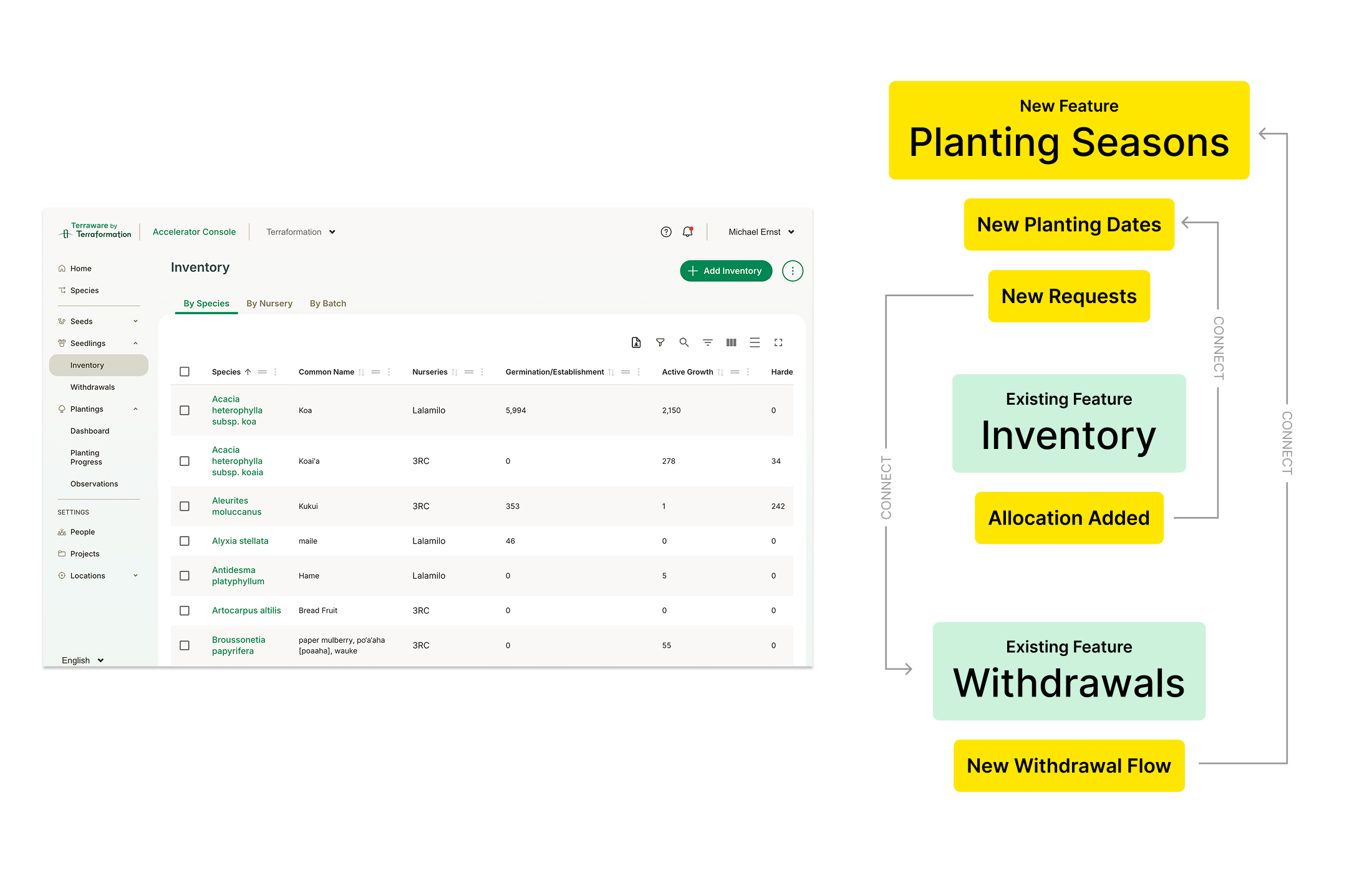
Planting Seasons and Inventory Planning are two sides of the same workflow. Rather than build them in isolation, I mapped how the new features — Planting Seasons, planting dates, withdrawal requests, and inventory allocation — would connect to the tools teams already relied on, like Inventory and Withdrawals. Forest Planting Managers own what gets planted and when; nursery Inventory Managers own what's grown and withdrawn. The design had to make that handoff feel like one continuous loop.
How Teams Worked Before
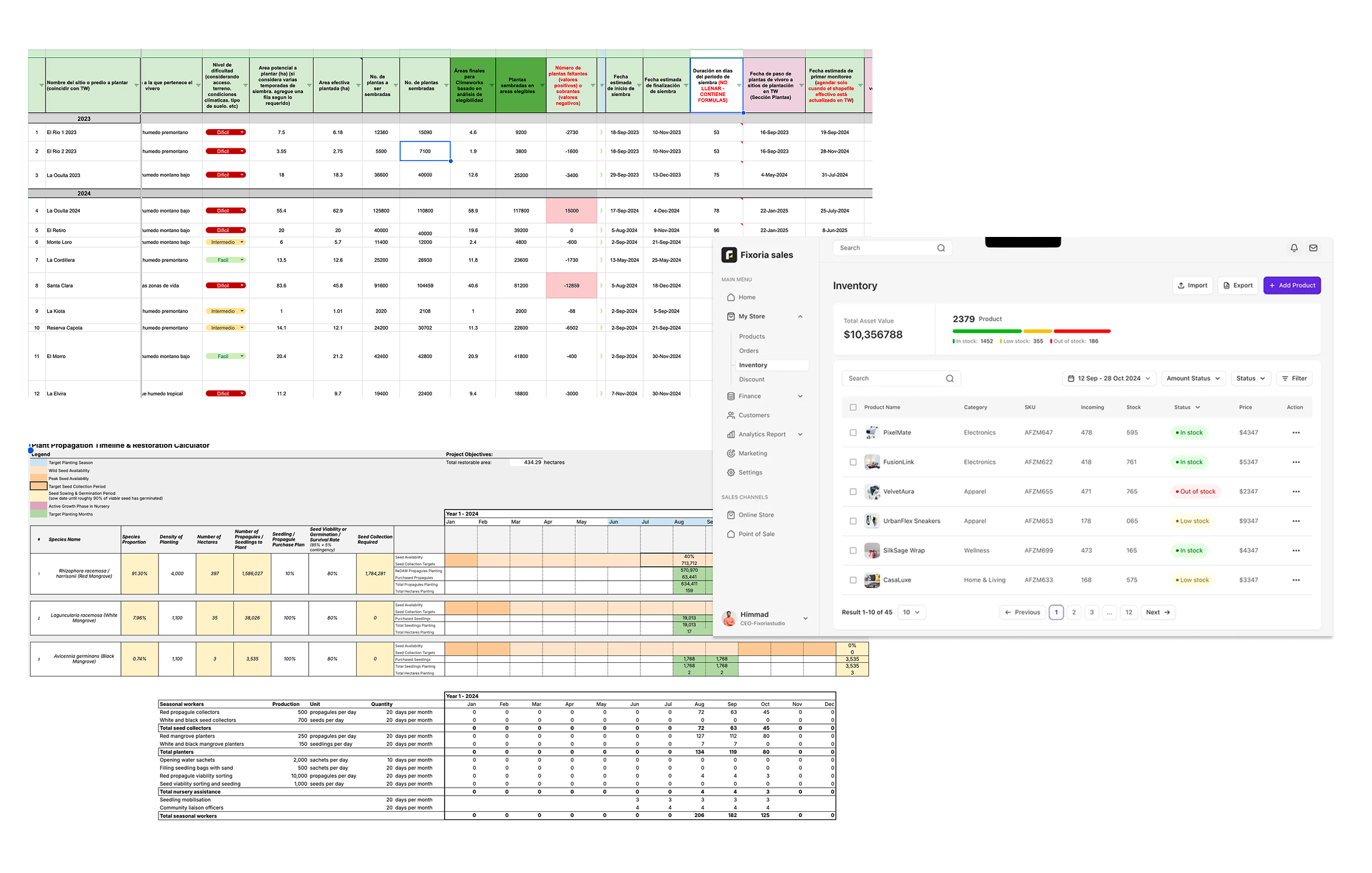
Before this project, a single planting season lived across a patchwork of spreadsheets — propagation calculators, species targets, planting timelines, and nursery stock, each maintained separately and often out of sync. I audited these documents and the third-party tools teams borrowed to fill the gaps, then mapped every input and decision into a workflow Terraware could own end to end.
Wireframing the Flow
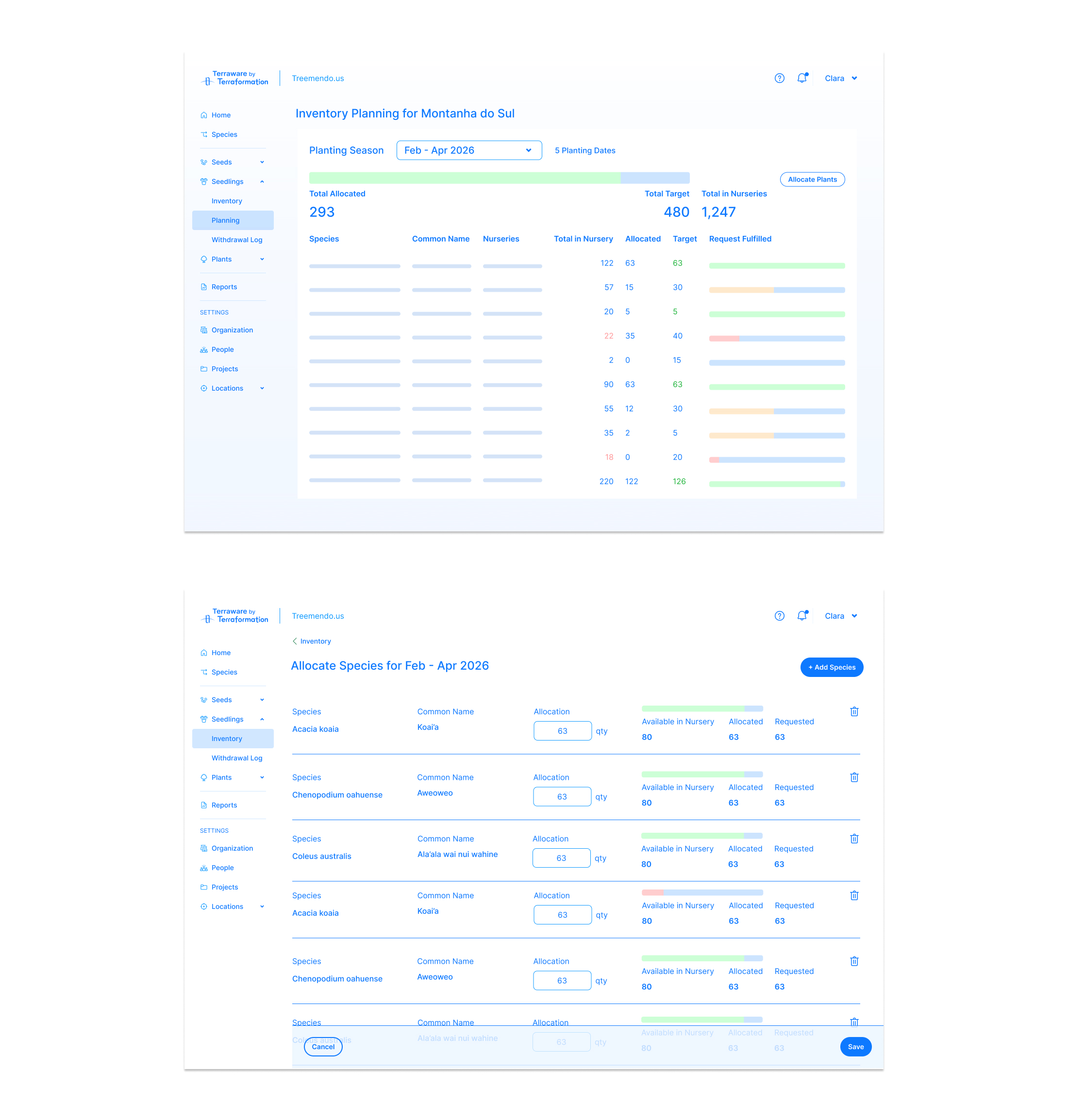
Early wireframes focused on the trickiest screen: the inventory allocation view where nursery managers weigh what's available against what each season needs. I worked in low fidelity to pressure-test how targets, allocations, and fulfillment could live in a single scannable table before committing to visual design.
Prototyping with AI
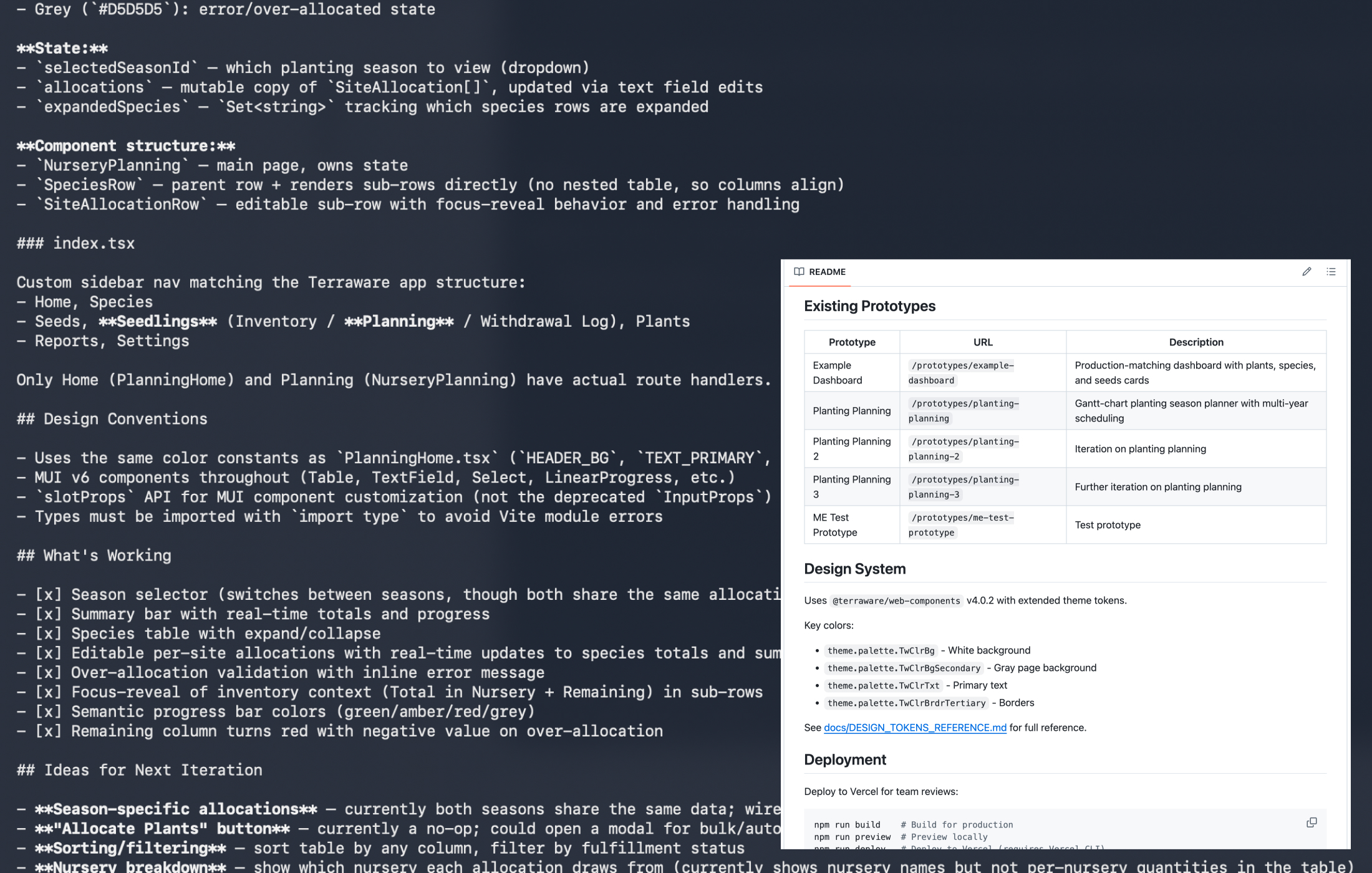
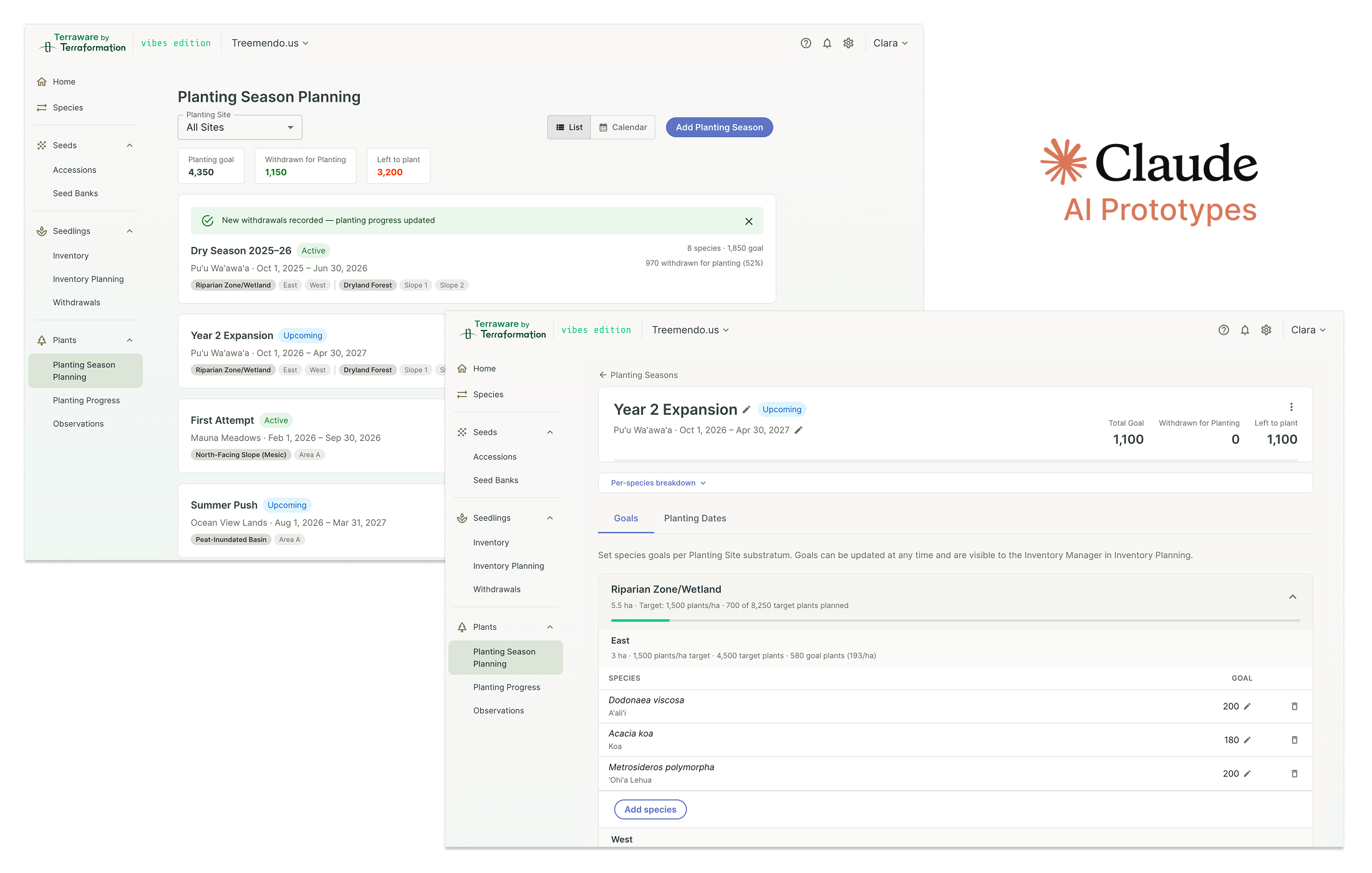
To test the flows quickly, I built interactive prototypes with Claude — generating working screens from a component spec and design-system tokens, then iterating directly in code. This let me put clickable versions of Planting Season Planning and per-species targets in front of stakeholders in days rather than weeks, and surface interaction problems early, before a single production ticket was written.
Planting Seasons
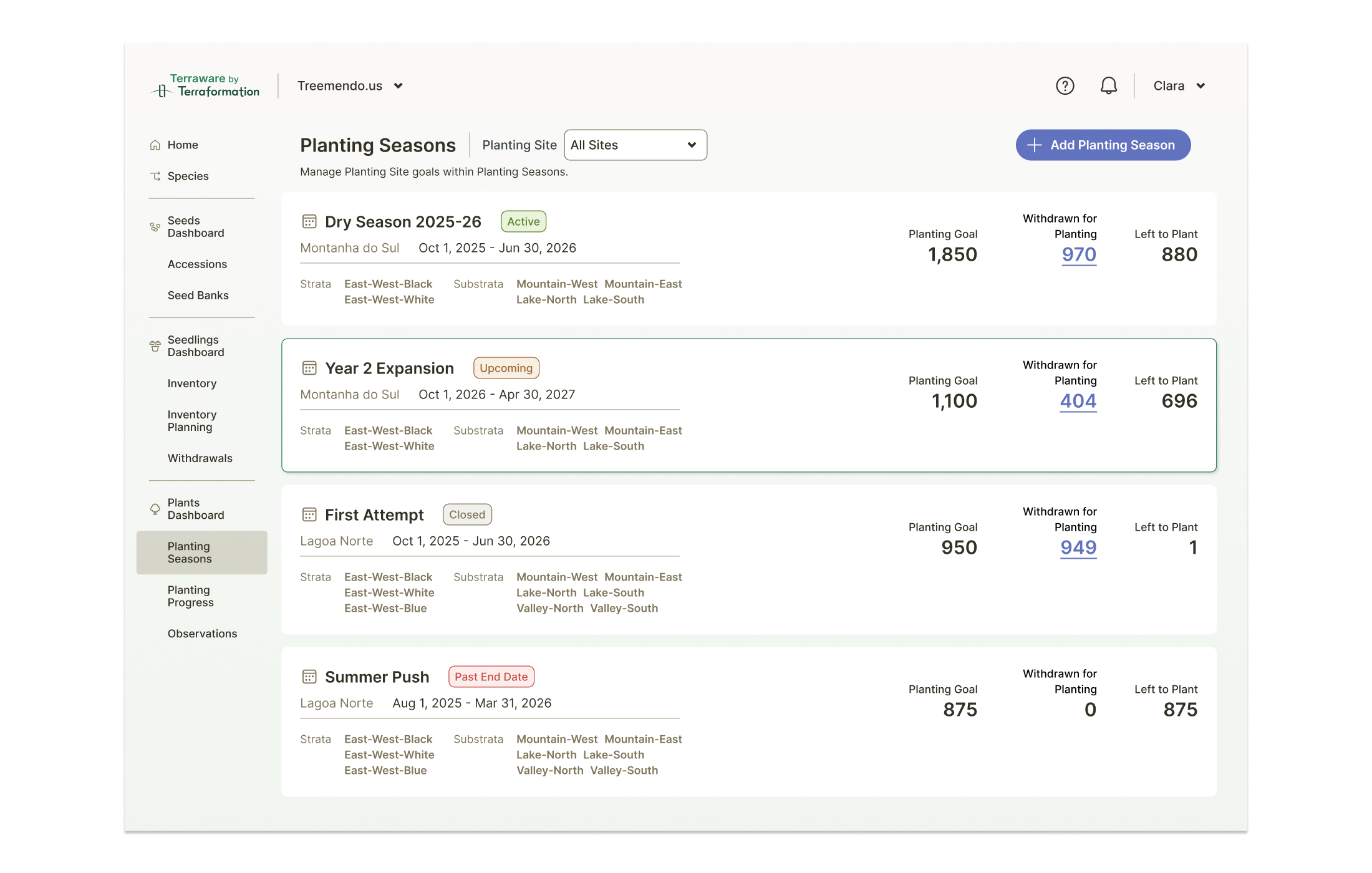
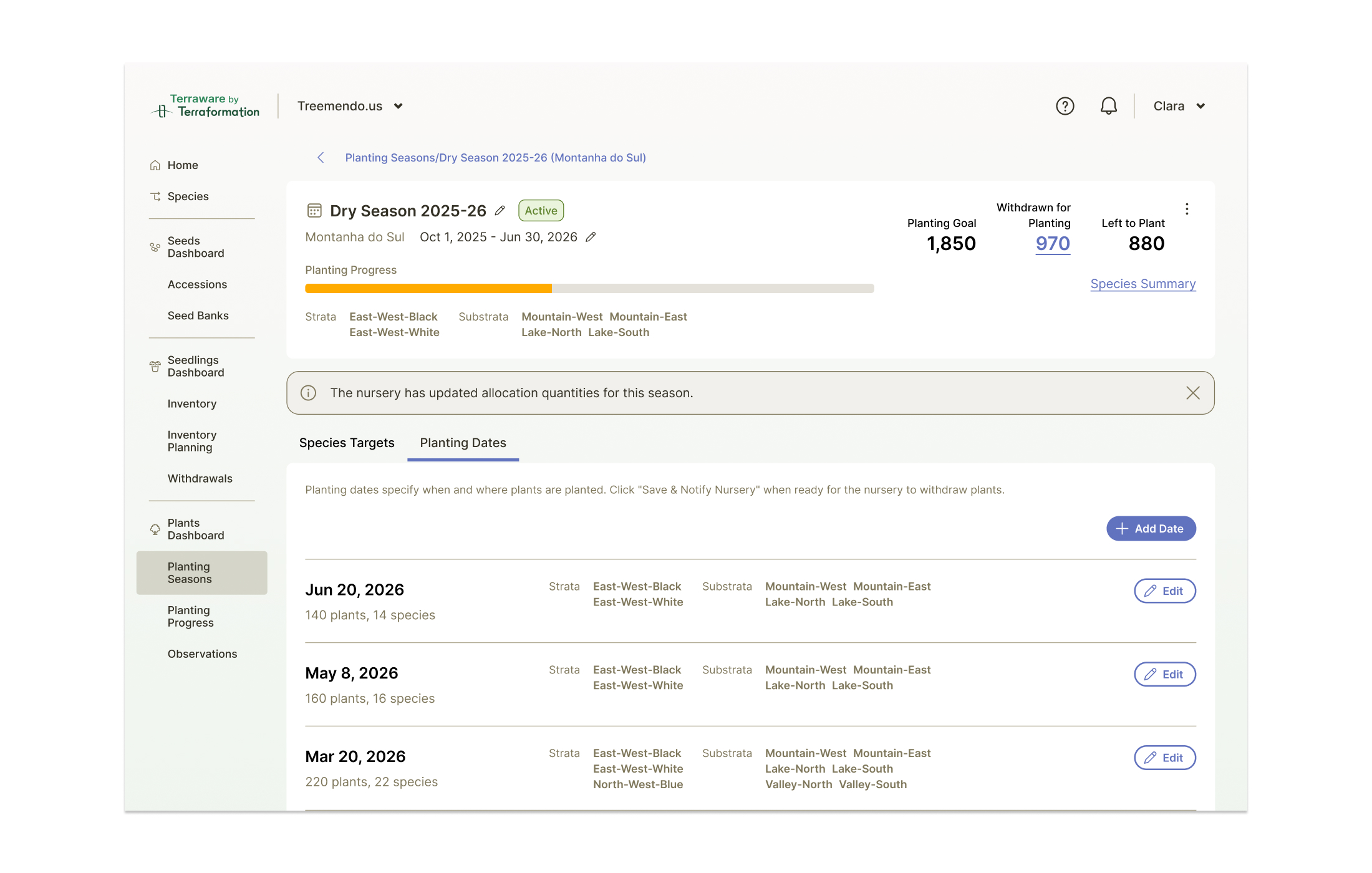
The Planting Seasons list gives Planting Managers a home for every season on a site — active, upcoming, and closed. Each card summarizes the planting goal, how many plants have been withdrawn for planting, and how many are left to plant, along with the strata and substrata in scope. It's the at-a-glance answer to "where does this season stand?"
Setting Species Targets
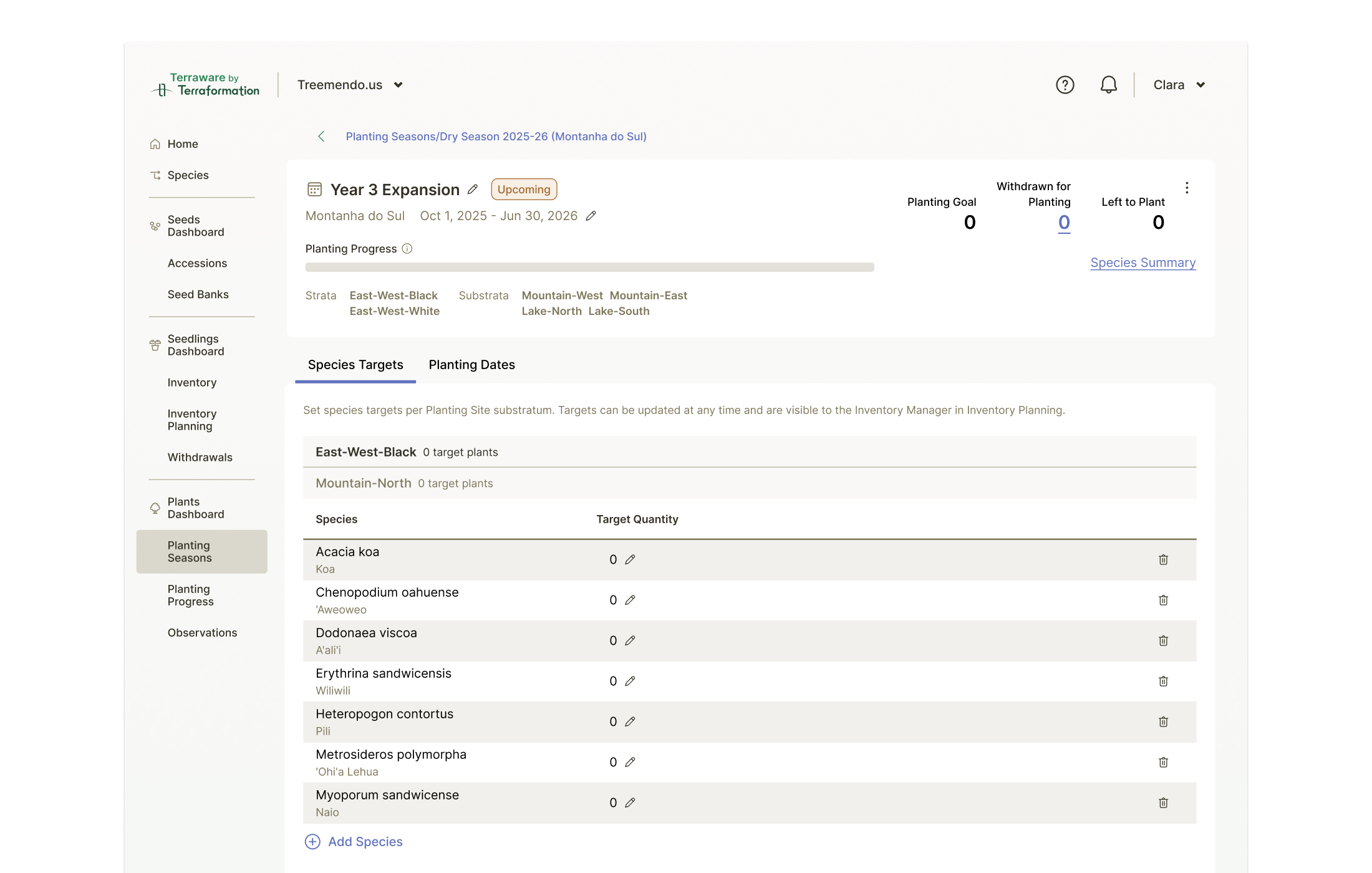
Inside a season, Planting Managers set species-level targets for each Planting Site substratum. Targets can be updated at any time and are immediately visible to the Inventory Manager in Inventory Planning — the first link in the coordination loop. This granularity matters: restoration success depends on planting the right mix of species in the right zones.
Species Summary
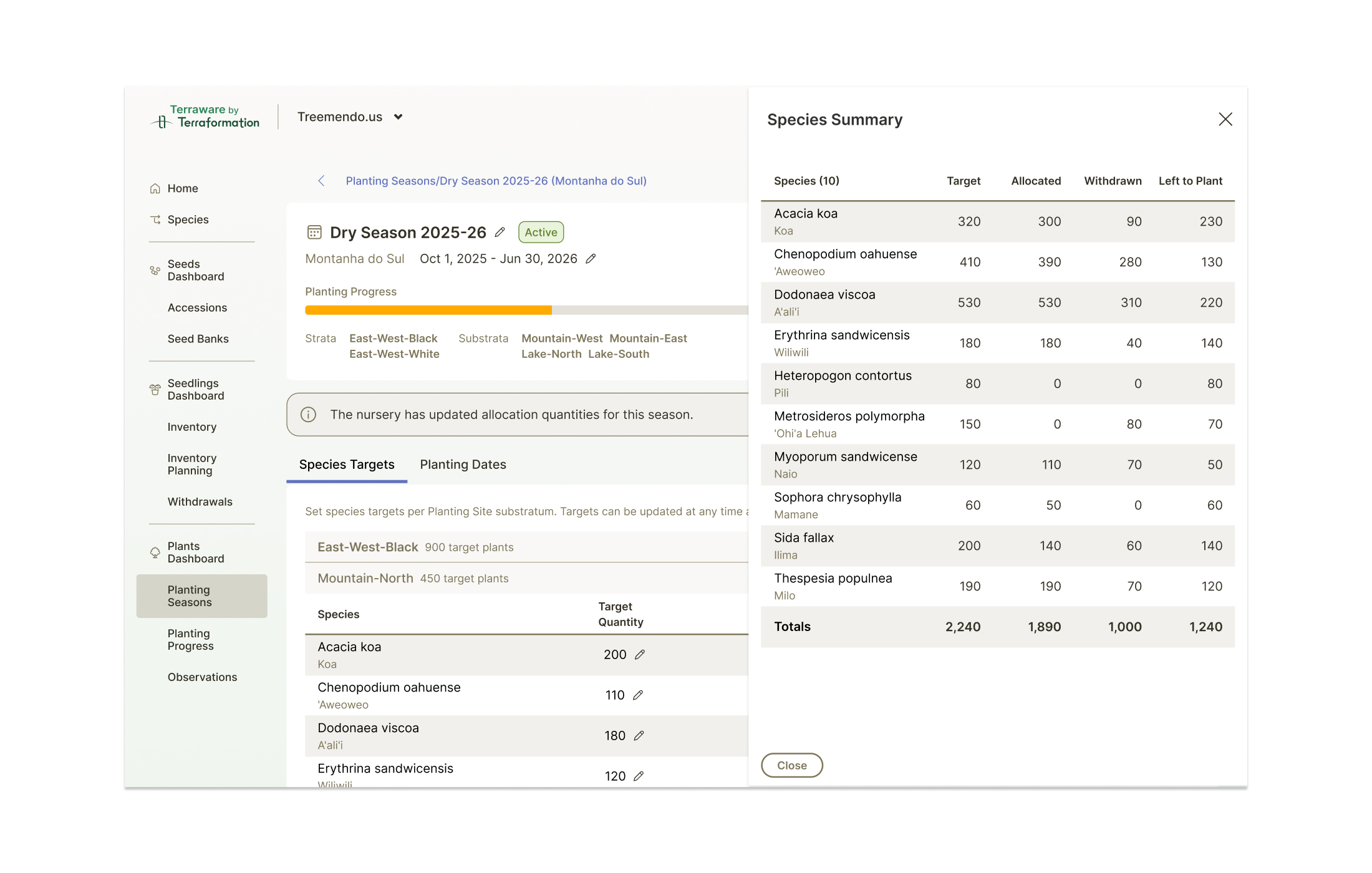
A rolled-up Species Summary shows target, allocated, withdrawn, and left-to-plant totals across every species in the season — so a manager can confirm the season is fully covered before planting begins, and spot the species that are still short.
Planting Dates
Planting rarely happens all at once. The Planting Dates tab lets managers schedule multiple planting events across a season, each with its own set of species and quantities, building a realistic timeline the nursery can prepare against.
Scheduling a Planting & Notifying the Nursery
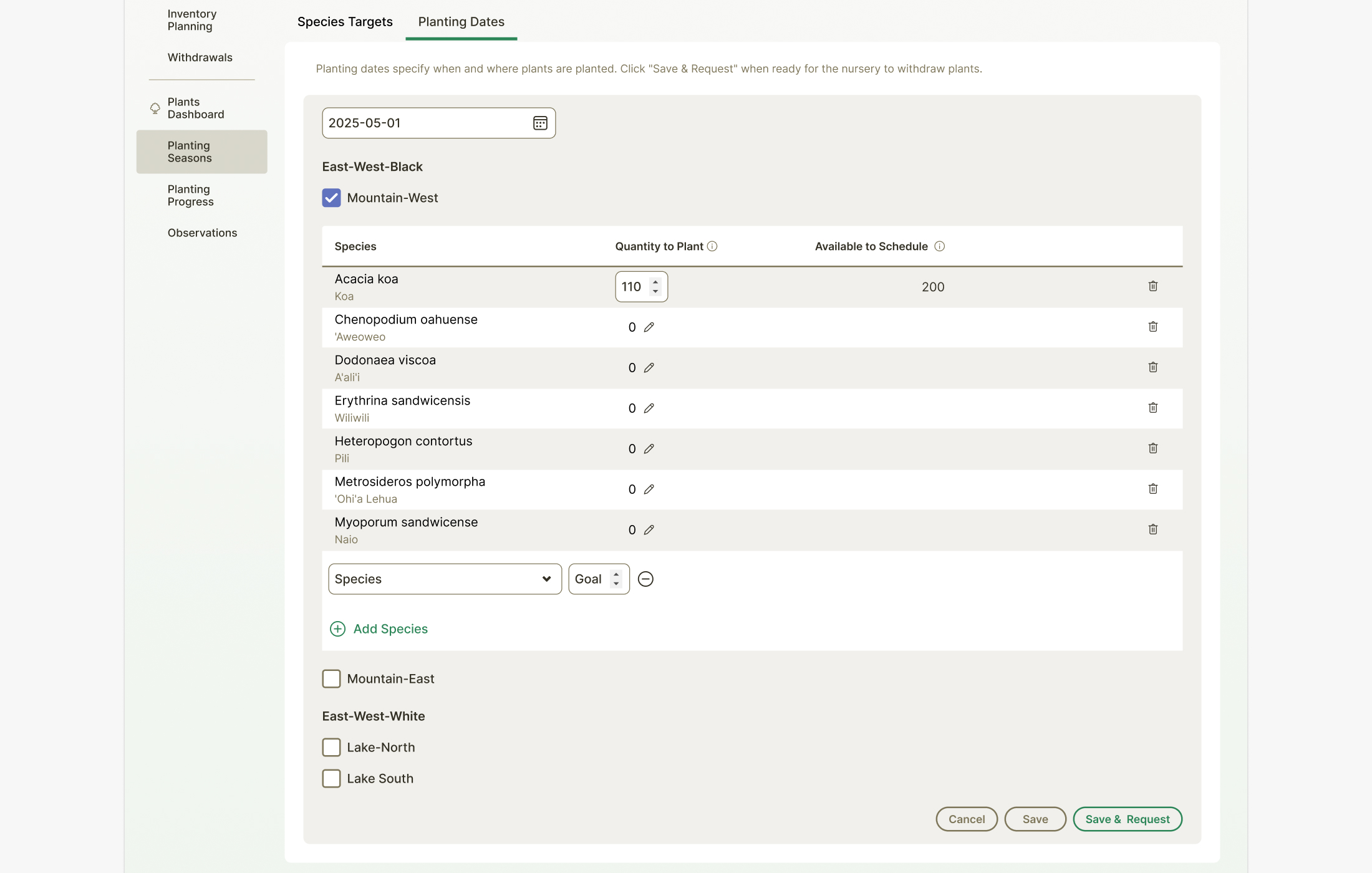
When creating a planting event, managers specify exactly what will go in the ground — quantity per species, per substratum — against what's available to schedule. A single "Save & Request" action notifies the nursery to prepare those seedlings for withdrawal, turning a planting plan into an actionable request without leaving the platform.
Inventory Planning & Allocation
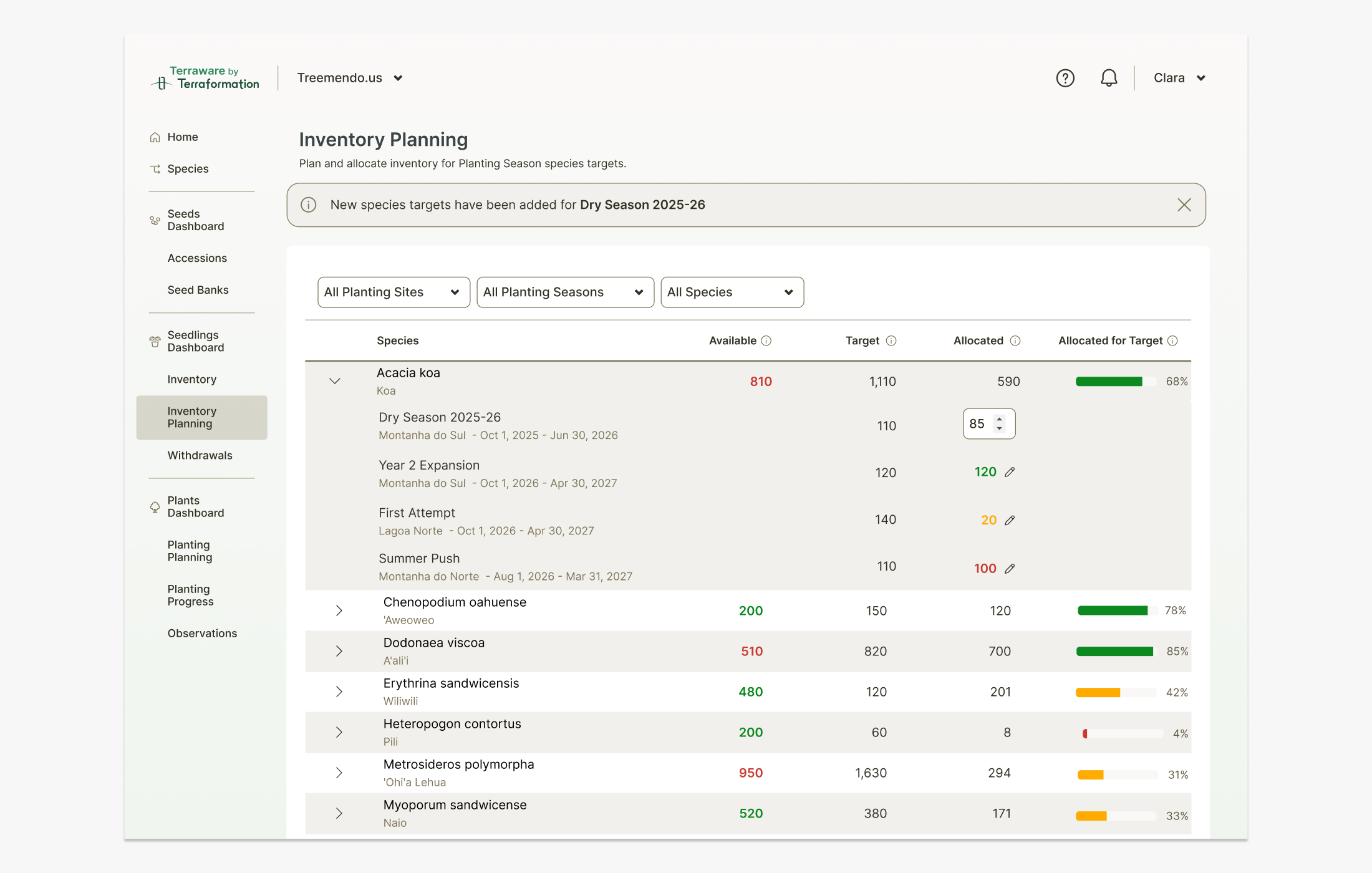
On the nursery side, Inventory Managers get a dedicated Inventory Planning page. It surfaces demand from every planting season in one allocation table — available stock, target, and allocated quantities per species — with a progress bar showing how well each species is covered. Managers can expand any species to allocate inventory across competing seasons, proactively committing stock where it's needed most.
Closing the Loop
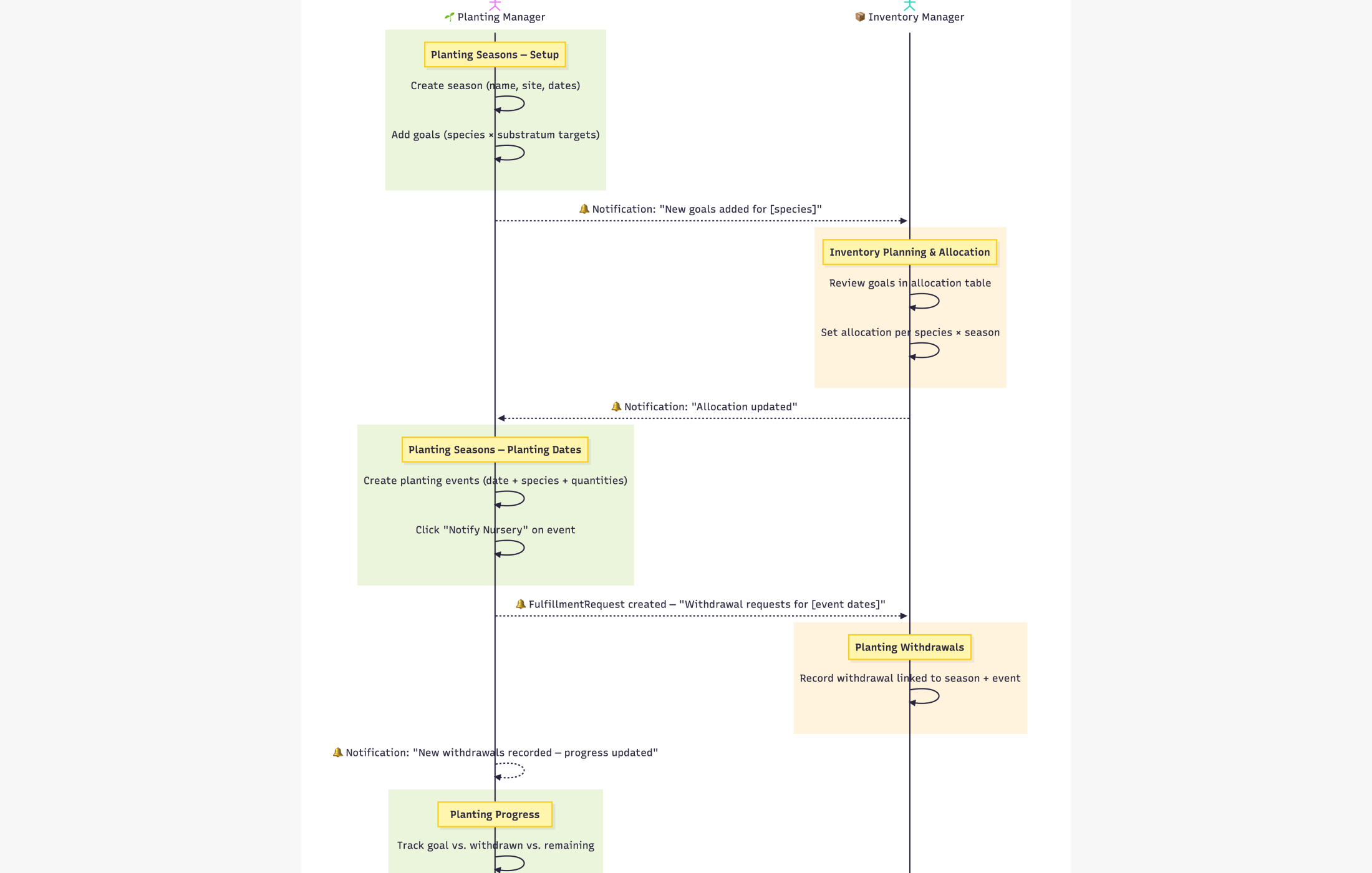
The two roles stay in sync through a series of notifications rather than side conversations. When a Planting Manager adds goals, the Inventory Manager is prompted to allocate; when allocation updates, the manager sees it; when planting dates create withdrawal requests, the nursery is prompted to fulfill them; and recorded withdrawals flow back into planting progress. I mapped this exchange as a sequence to make sure every handoff had a clear trigger and a clear owner.
Fulfilling Withdrawal Requests
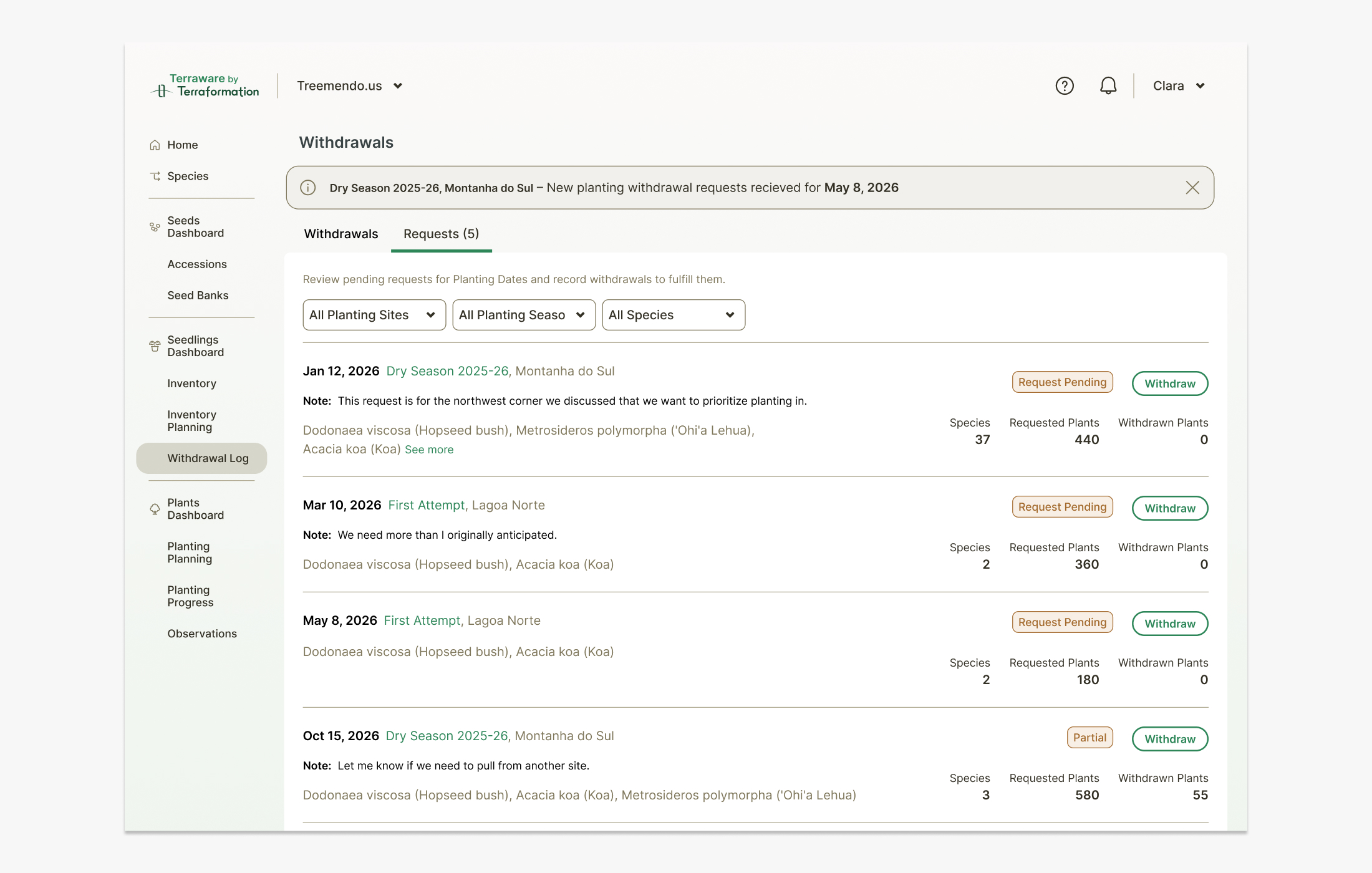
Requests from Planting Managers land in the nursery's Withdrawals queue, each tagged with a season, date, requested quantity, and an optional note for context. Inventory Managers can review pending requests, prioritize them, and fulfill them — with statuses like Pending and Partial keeping both sides honest about what's actually been pulled.
Updated Withdrawal Flow
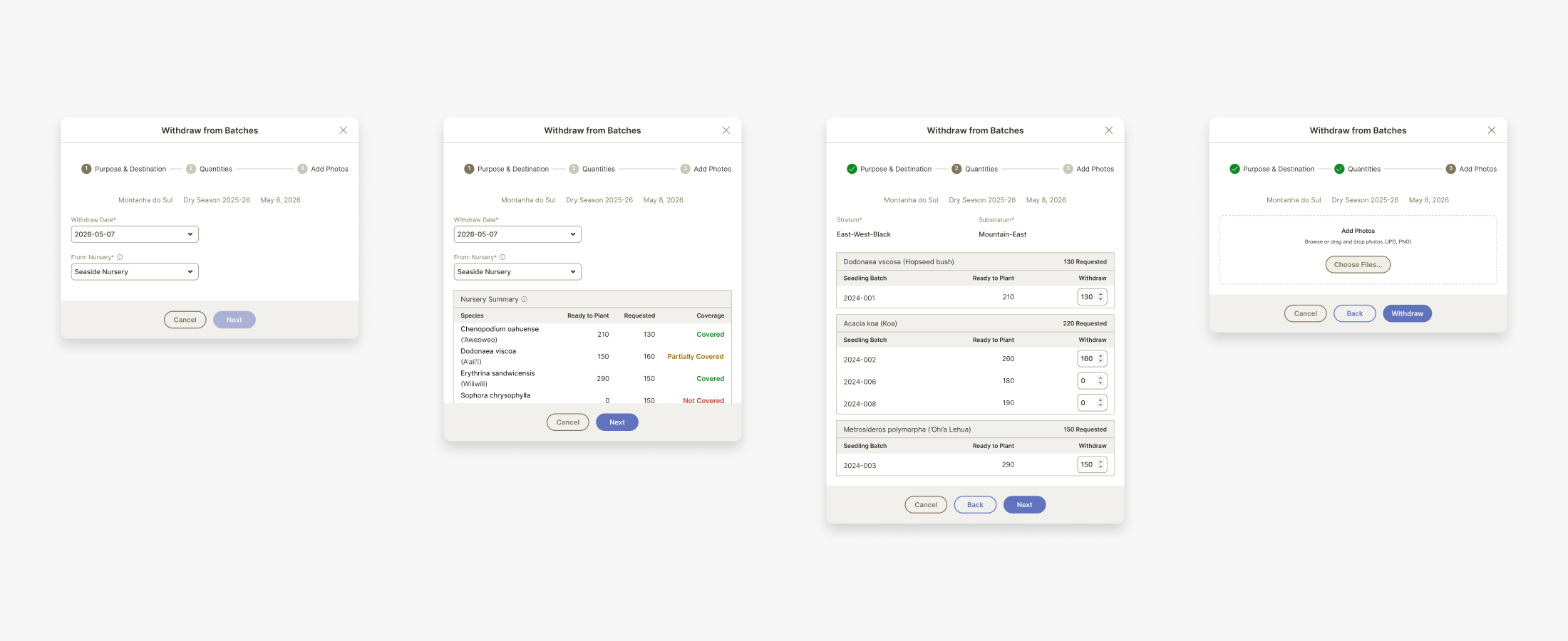
Recording a withdrawal used to be one long, error-prone form. I restructured it into a guided, multi-step flow — Purpose & Destination, then Quantities by seedling batch, then Photos — so managers make one set of decisions at a time. A live coverage summary flags species that are covered, partially covered, or not covered against the request, and every withdrawal is linked back to its season and planting event, so planting progress updates automatically and mortality from mismatched stock drops.