Terraware Visual Updates
Back to Case StudiesVisual Update 1
Plants Dashboard
47%
Increase in Plants Dashboard engagement
71%
Survival Rate Settings adoption rate


Improving the Visualization
Alongside the metric change, the underlying charts needed rethinking. Trend lines now show survival rate over time rather than point-in-time mortality snapshots. Semantic color indicators make health status scannable at a glance — green for thriving strata, red for at-risk ones. Density targets give science teams a scientific benchmark to measure actual counts against, making it easier to spot underperforming plots early.

Dashboard Layout Details
The updated dashboard addressed a broader set of usability issues discovered during research. A cleaner layout with improved type hierarchy makes data faster to scan. The color scheme was updated for accessibility, card layouts were made flexible and consistent, and key values were given contextual tooltips — reducing cognitive load for teams reviewing data after long days in the field.

The Redesigned Dashboard
The final Plants Dashboard brings together project-level area totals, planted species breakdowns, trend lines, planting density, survival rates by strata and species, and an embedded site map — all in a single scrollable view that gives science teams and project managers a comprehensive picture of site health after every observation cycle.


Planting Site Map Updates
The original Strata Level Data map color-coded strata by mortality rate bands — a scheme that directed attention toward failure rather than health. The updated map uses multi-variate overlays for survival rates, replaces the old popover tooltip with a full drawer showing photos, observation events, and activity context, and adds larger controls and an interactive legend. Teams can now investigate any strata without losing their place on the map.

Mobile Experience
Observations are entered in the field through the Terraware mobile app. The mobile Plants Dashboard was updated alongside the web redesign — larger tap targets, stacked card layouts for readability on smaller screens, and a modified map legend make data review and entry easier during active fieldwork when conditions are far from ideal.
Visual Update 2
Home Dashboard
63%
Increase in user engagement
+7s
Average time spent on Home
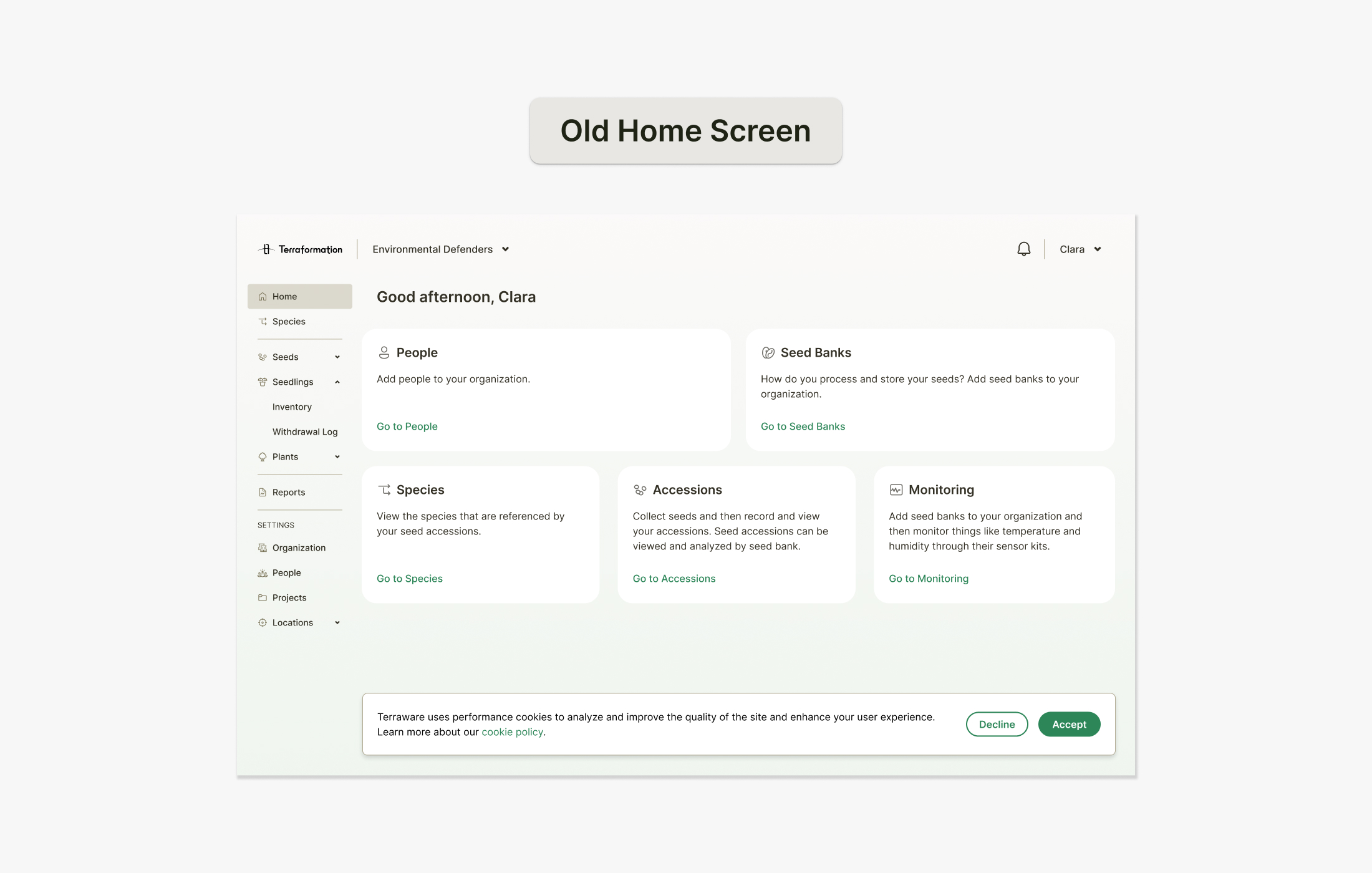

Home Screen Transformation
The original home screen was simply a list of redundant links. I transformed it into a content-rich interface that surfaces critical project information — a map, planting site selector, key metrics, and a mobile app banner — giving users meaningful context from the moment they log in.
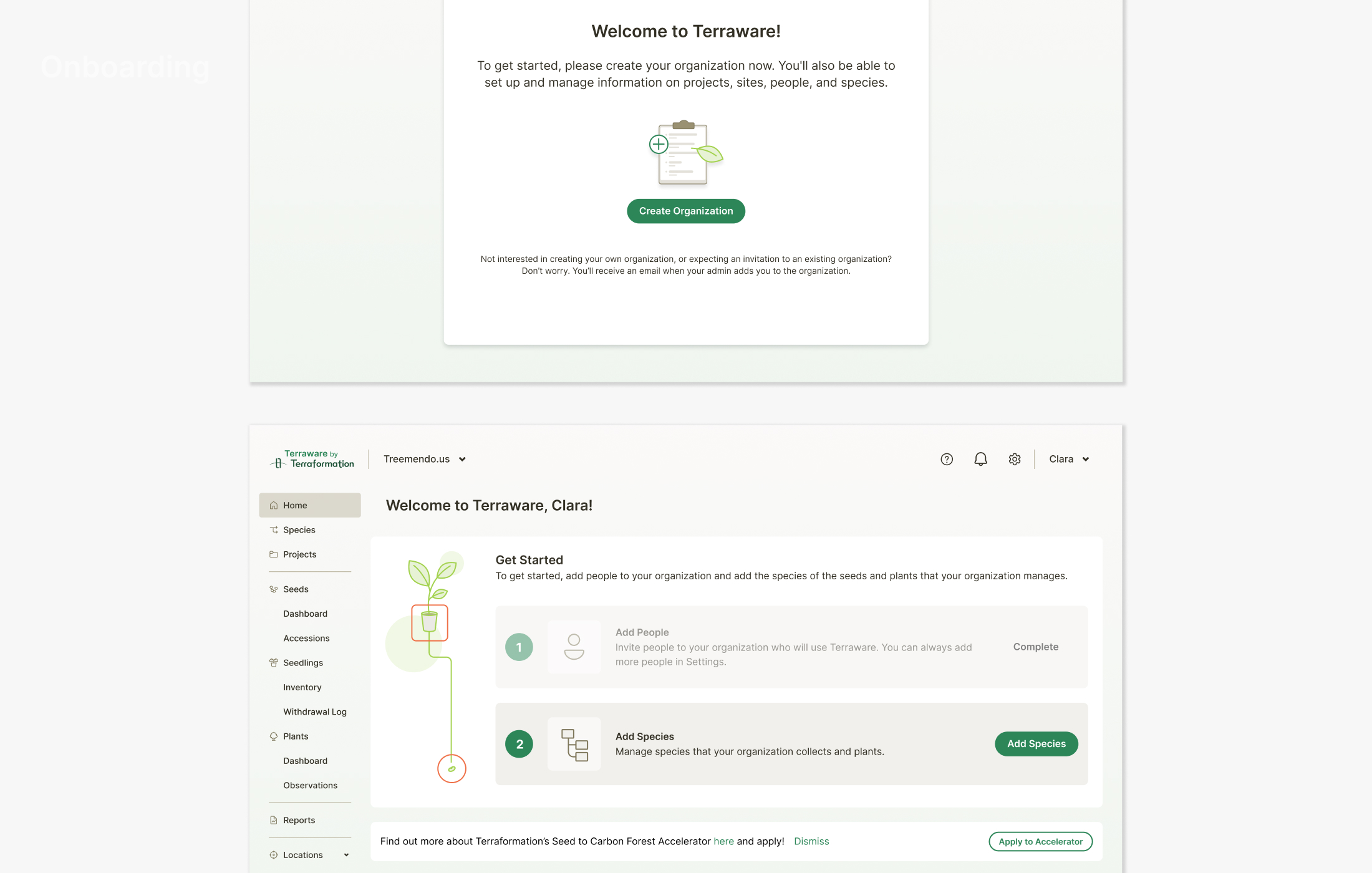
Onboarding Experience
I created an initial onboarding flow to help new users set up their seed banks, nurseries, and species lists. The empty state serves a functional setup purpose while guiding users through essential configuration steps.
Visual Update 3
Accelerator Console
212
Projects in Accelerator pipeline
2x
Productivity for Accelerator Team

Project Data Hub
When I joined Terraformation in 2024, all internal Accelerator projects were managed in the Project Data Hub. My job was to design the Accelerator Console MVP to move all projects into our core Terraware product.
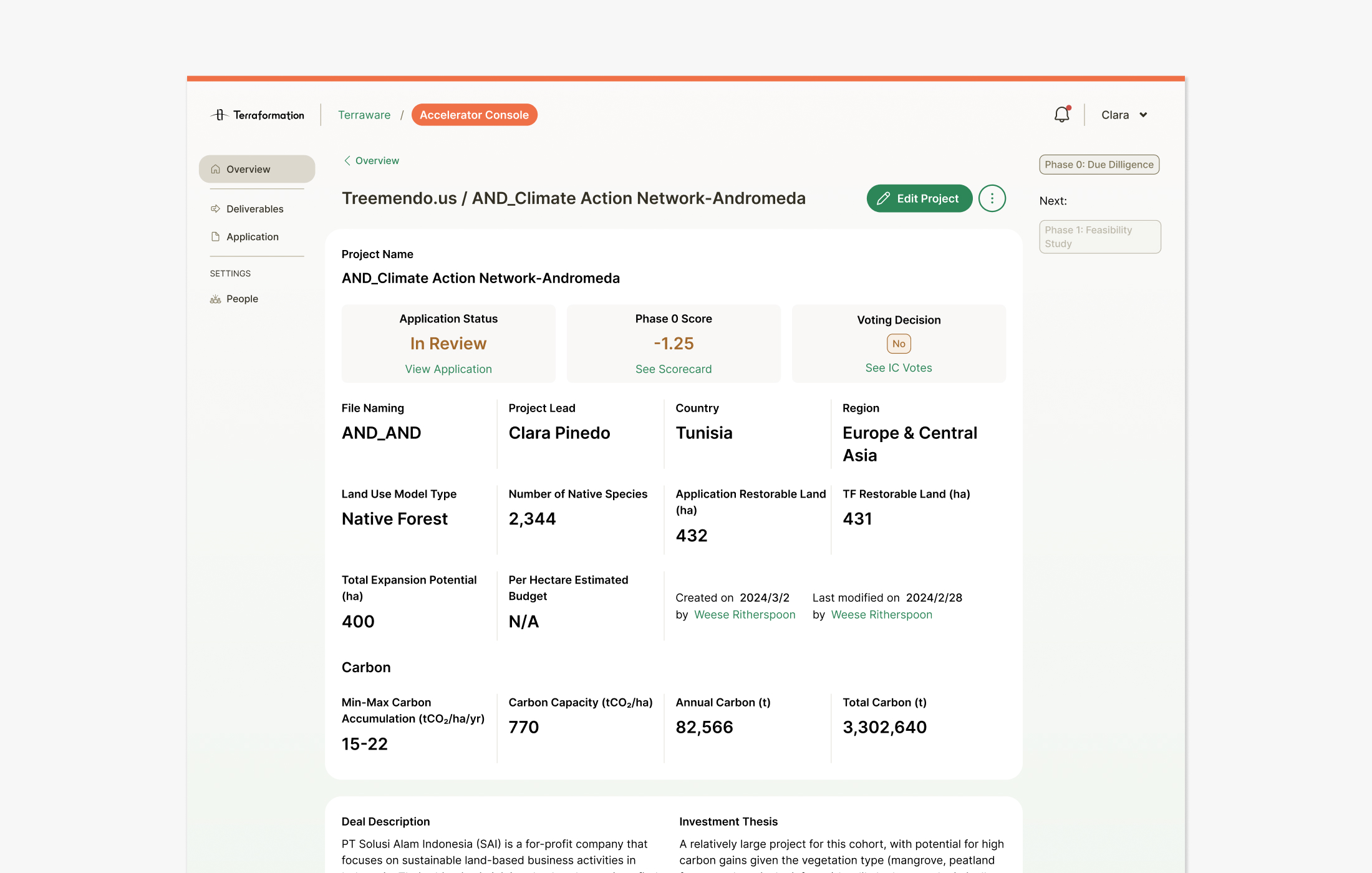
Accelerator Console MVP
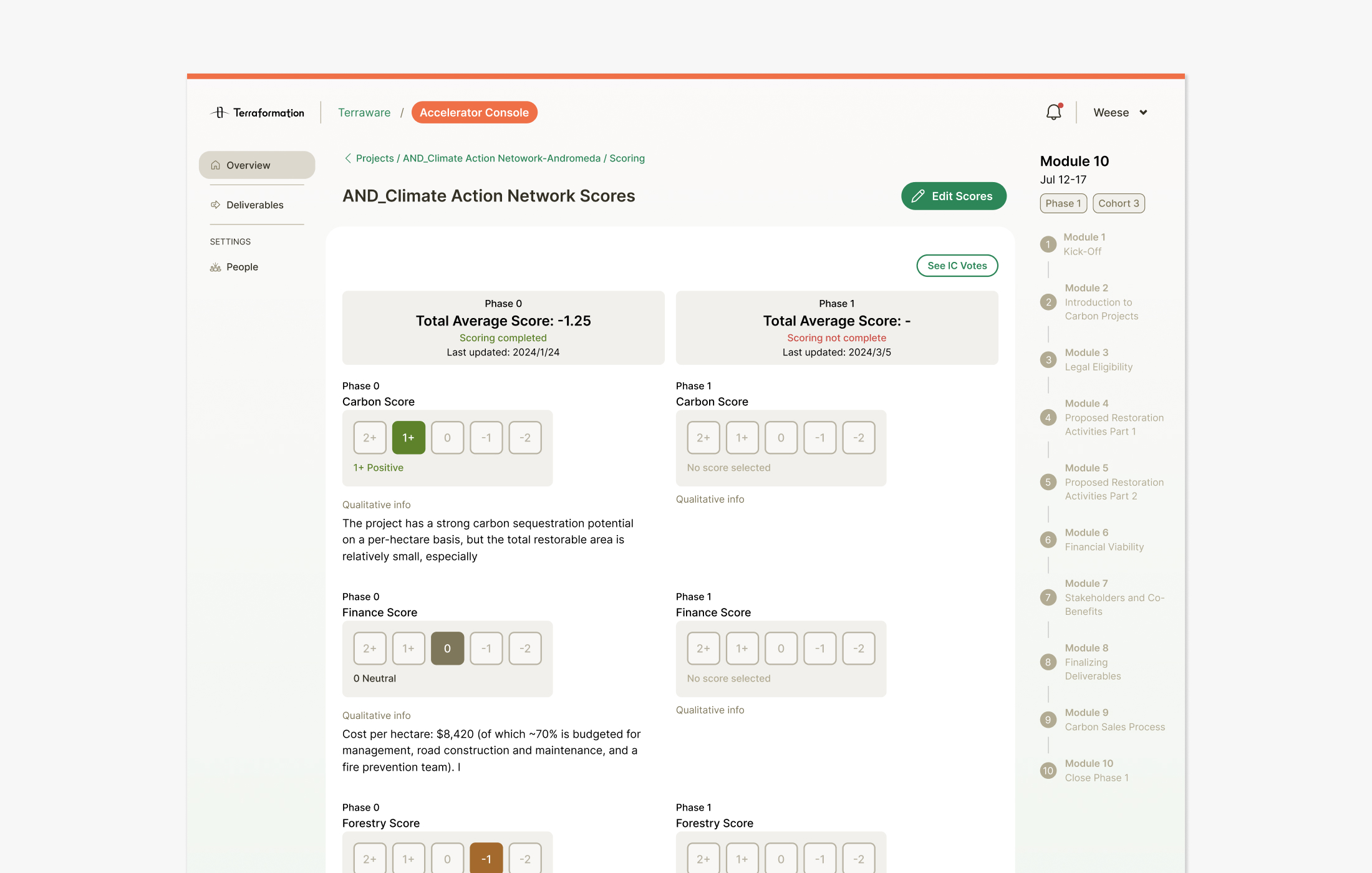
When I joined Terraformation in 2024, all internal Accelerator projects were managed in the Project Data Hub. My job was to design the Accelerator Console MVP to move all projects into our core Terraware product. This gave our internal team a quick snapshot of the progress on any given project.
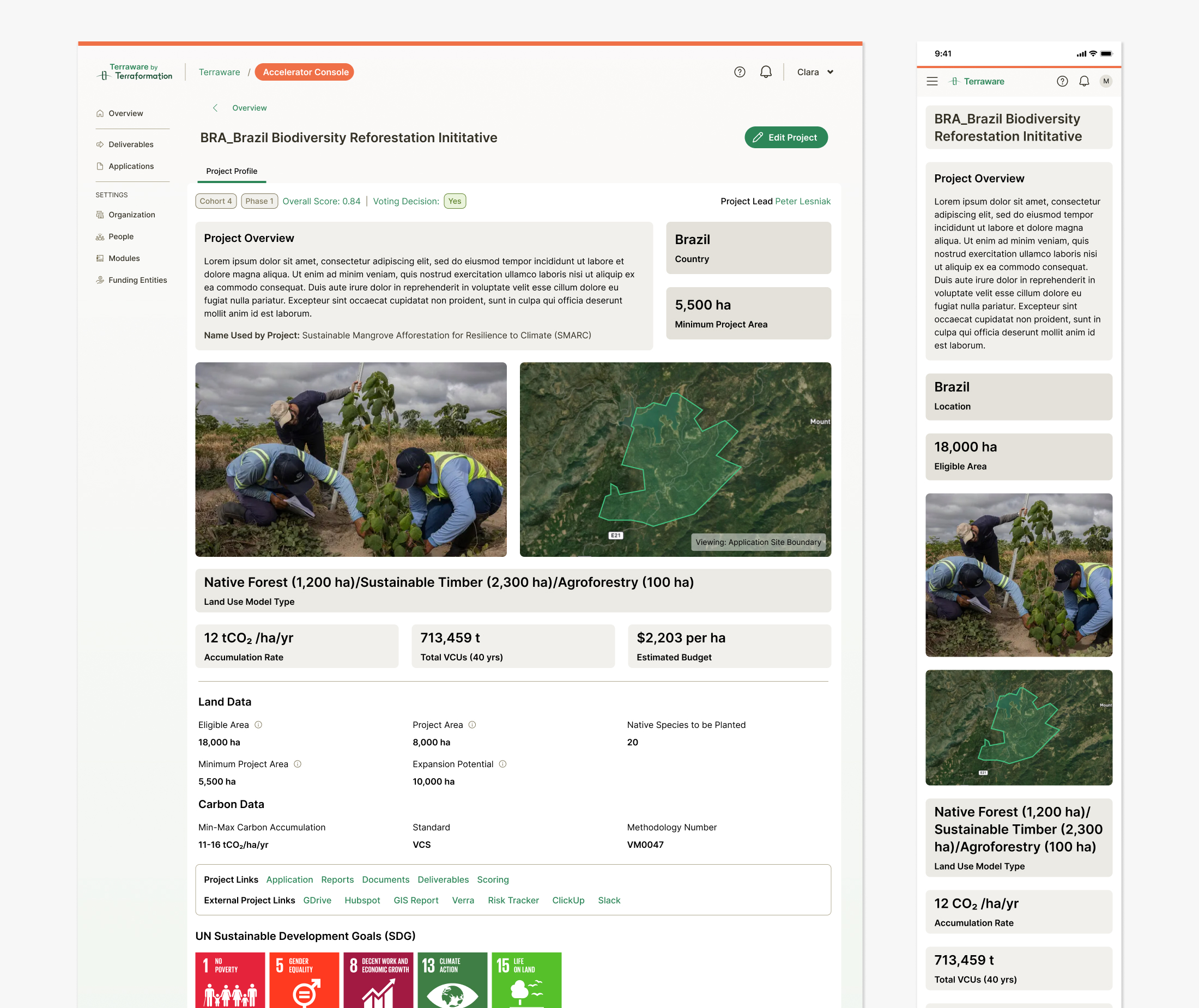
Project Profile Update
We continued to iterate on the project profile and gave it an updated visual presence with photos, maps of the planting site, and highlighted key metrics. This was also our first step in mirroring the profile page on our newly designed Founders Hub.
Visual Update 4
Tree Subscription Landing Page
57,000
Trees planted
90+
Subscribers

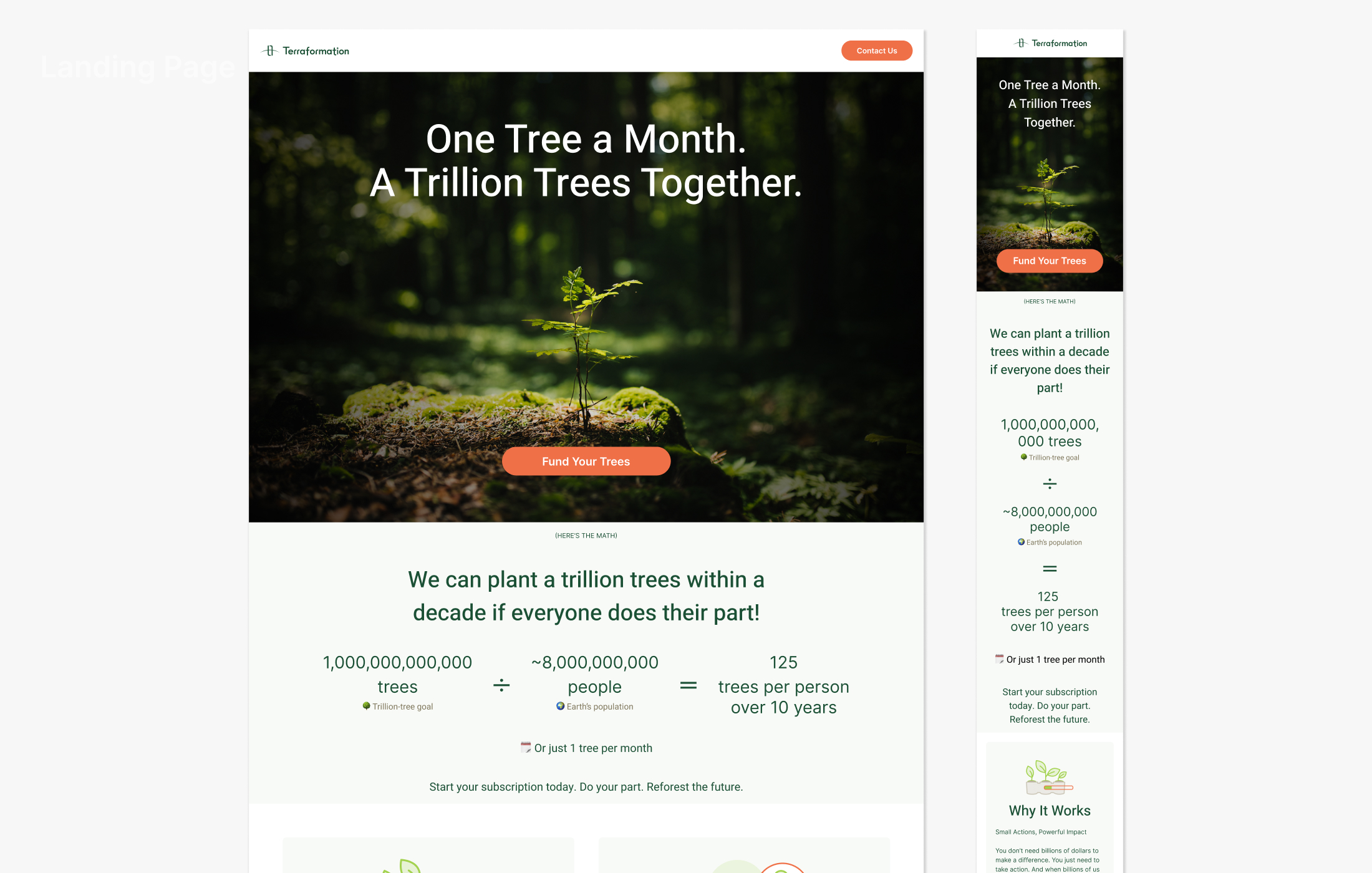
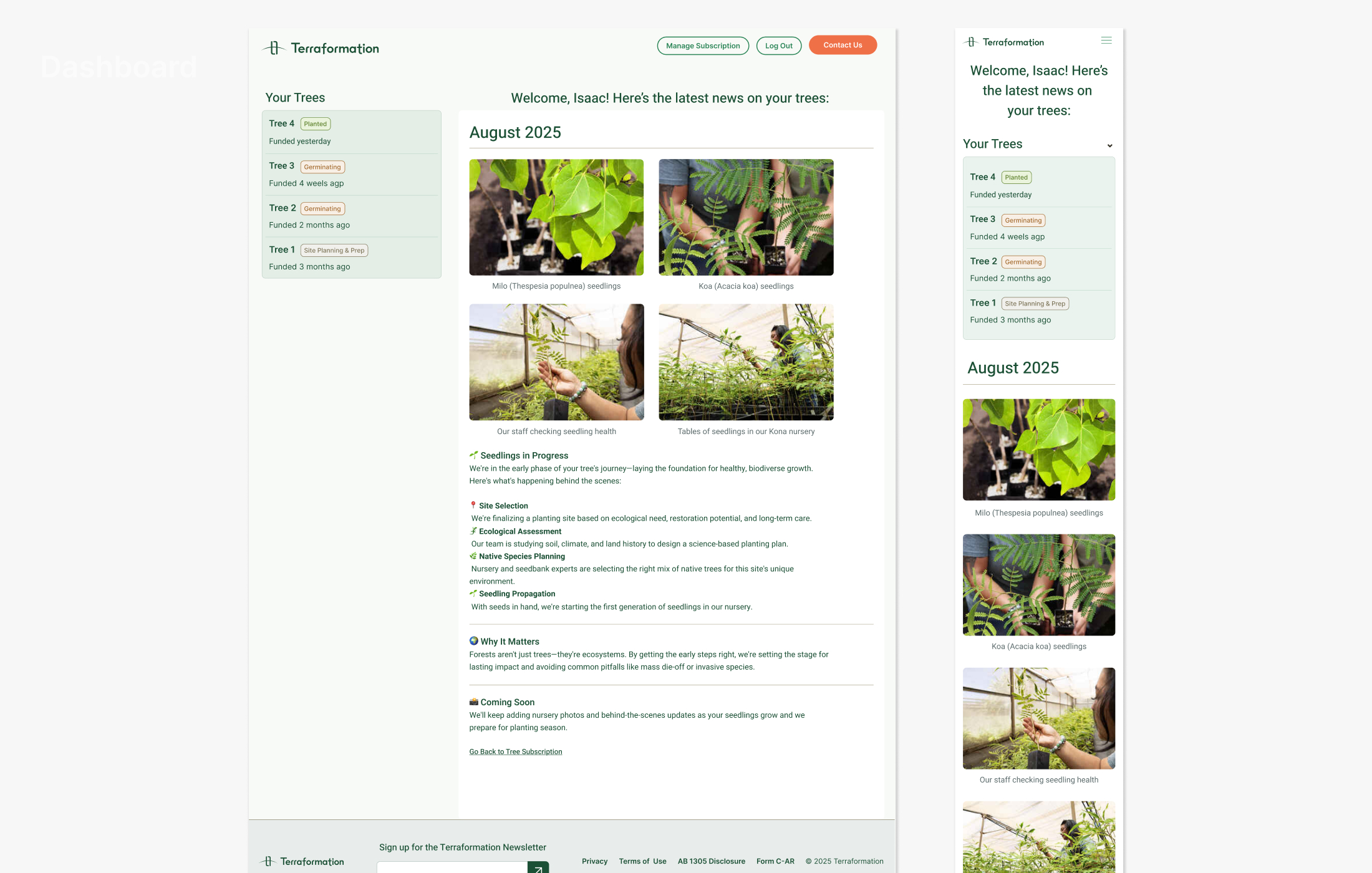
Tree Subscription Service
As part of Terraformation's consumer-facing initiatives, I designed a landing page for recurring tree sponsorships and a dashboard where users can view photos of their sponsored trees and manage their accounts.