Fountain App
Back to Case Studies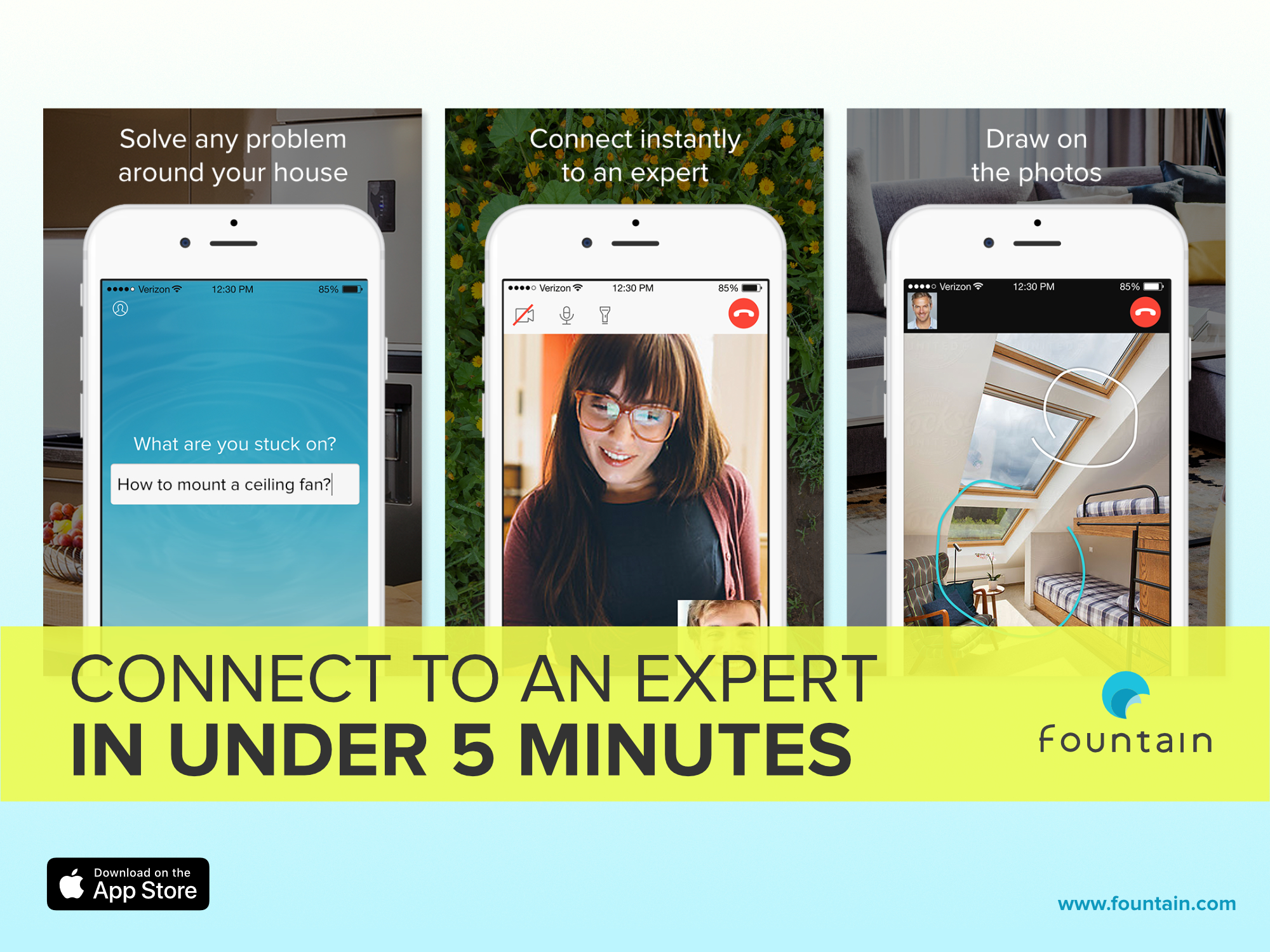
Overview
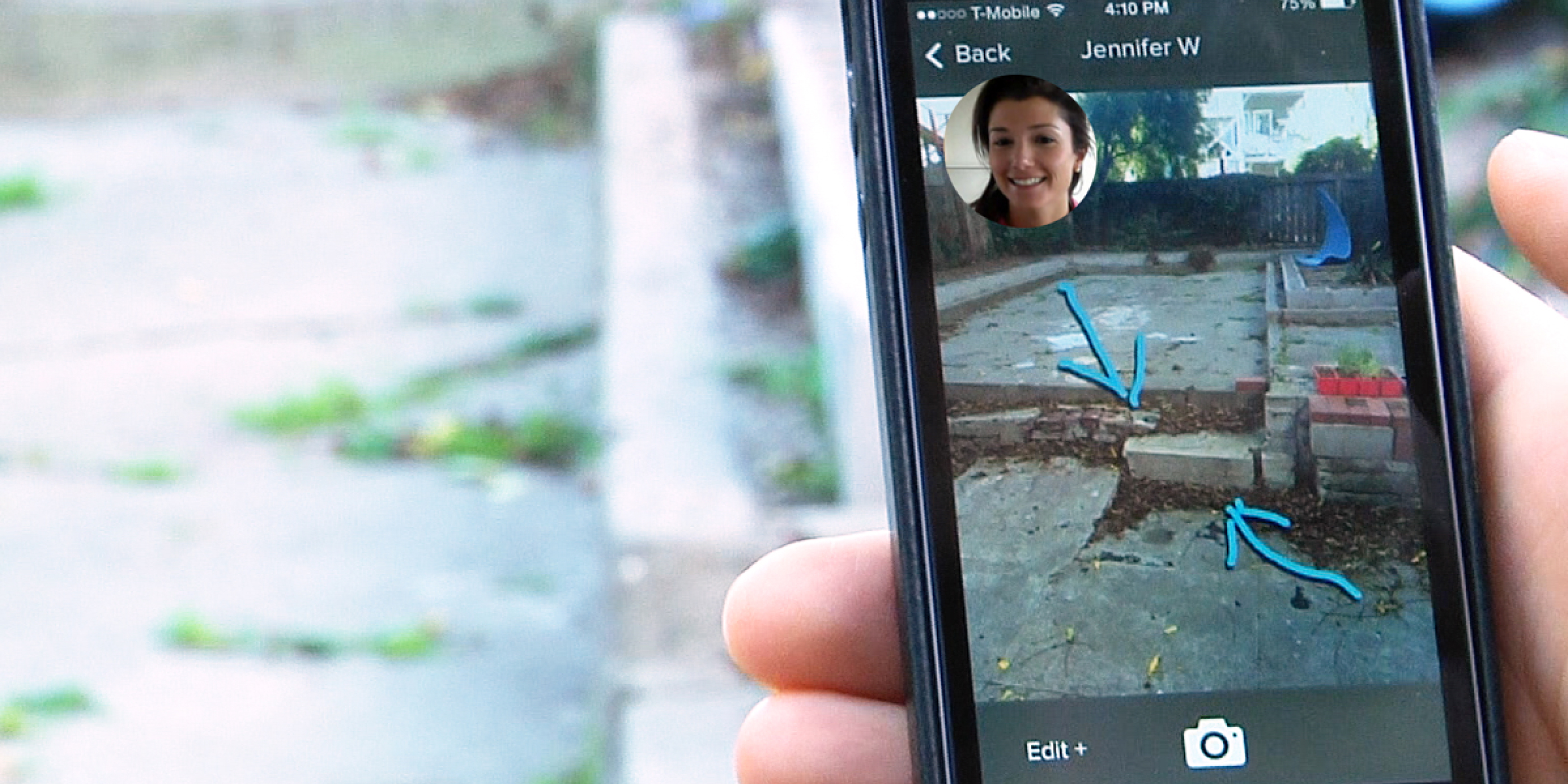
Fountain was designed to connect users with experts for on-demand problem-solving, initially targeting home repair. Founded by Aaron Patzer to leverage "the world's cognitive excess," the product aimed to connect anyone to an expert in under five minutes. We selected home repair as the initial vertical to test assumptions before expanding.
Research
We ran 50 surveys to understand the home repair problem space. Most homeowners were relatively new (1–5 years of ownership) and had faced multiple issues recently. Despite 80% researching problems on their own first, most lacked confidence in resolving them without professional help. Three core pain points emerged: uncertainty finding reliable answers, trust concerns about expert credibility, and fear of making things worse.
Competitive Analysis
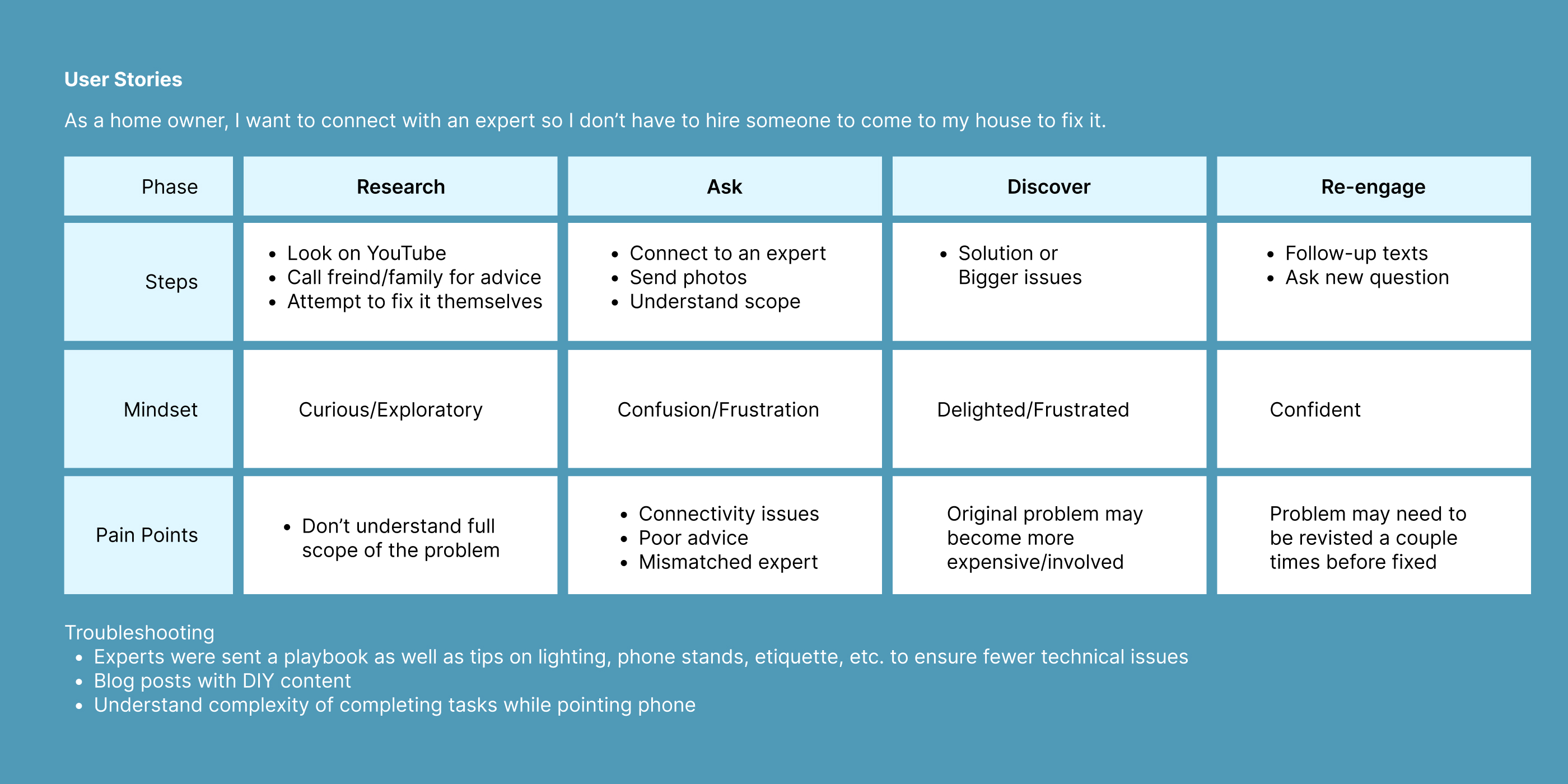
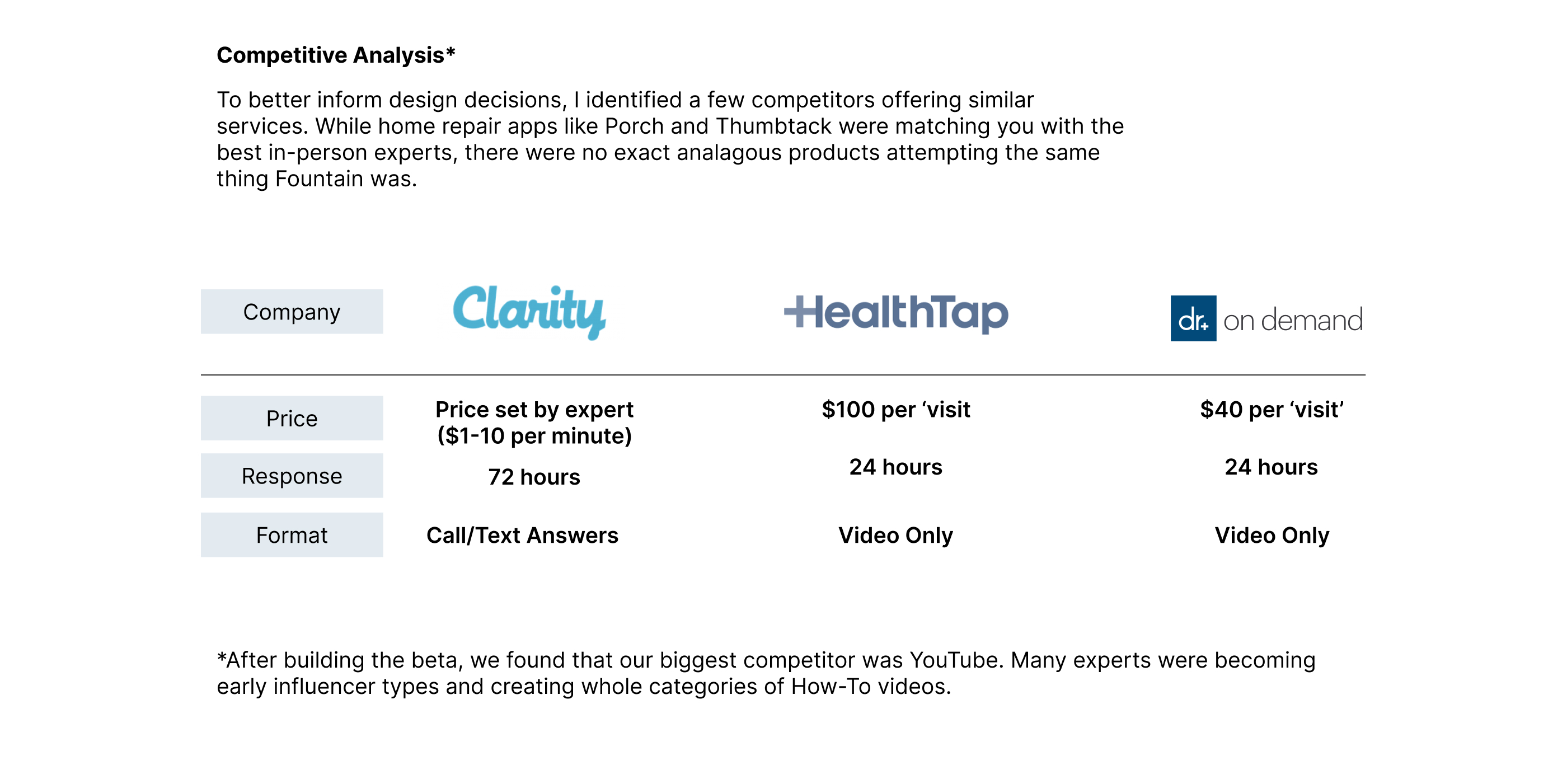
The user story was a standard linear flow — connect, consult, resolve — with flexibility for text chat, photo annotation, and video. We studied existing services to understand how experts and users were matched, how trust was established, and where existing products fell short in the home repair context.
Design Process
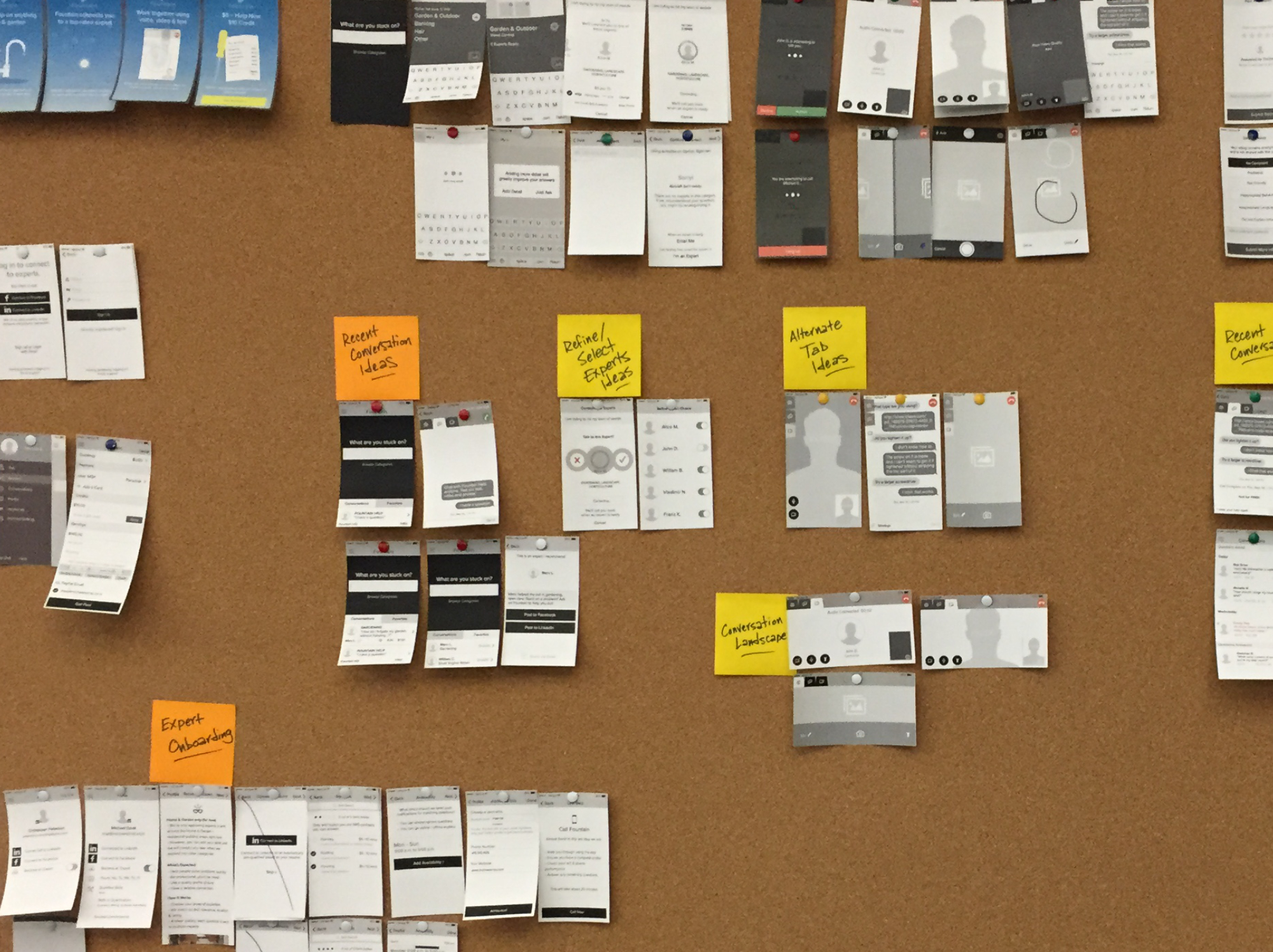
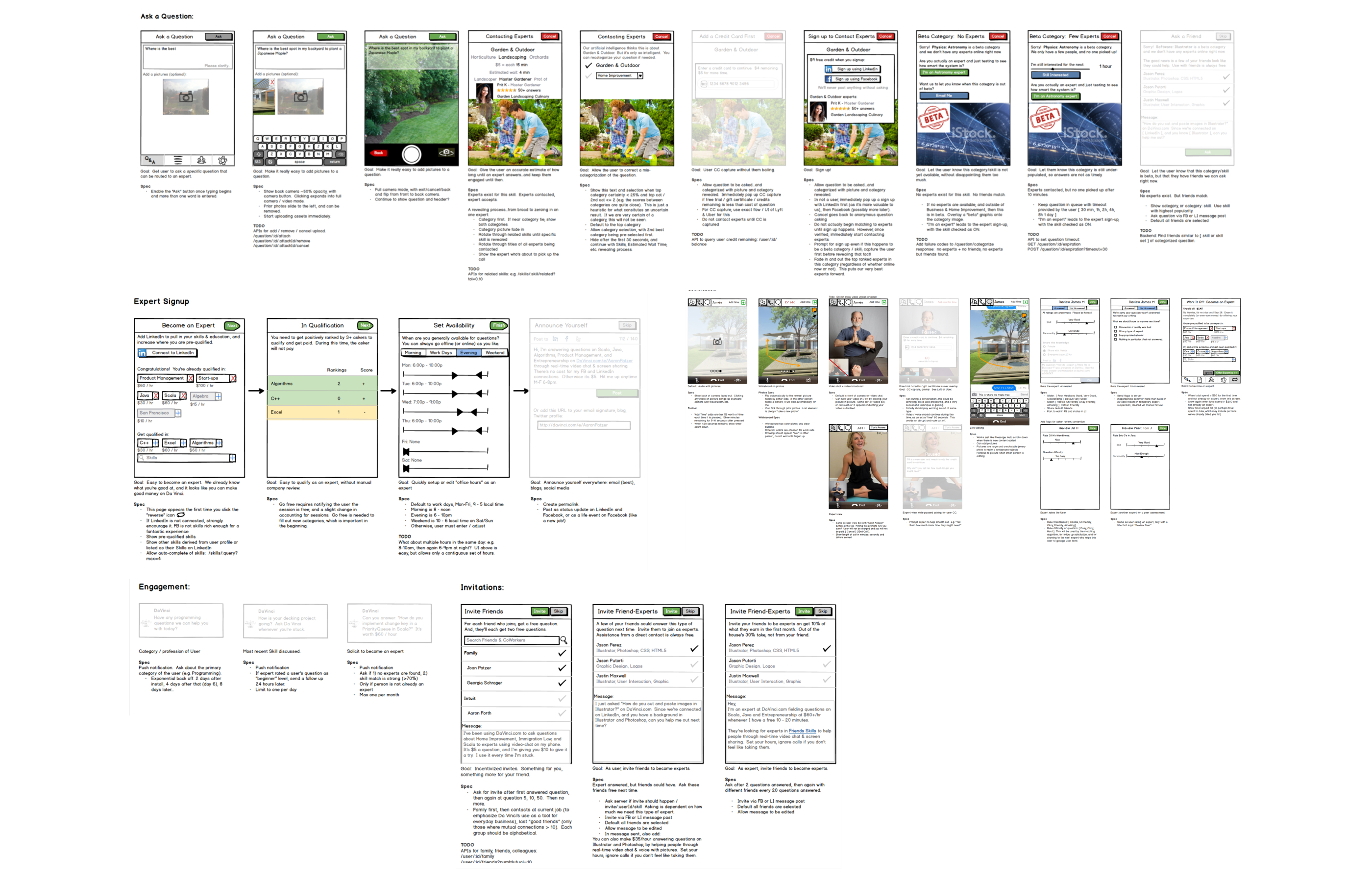
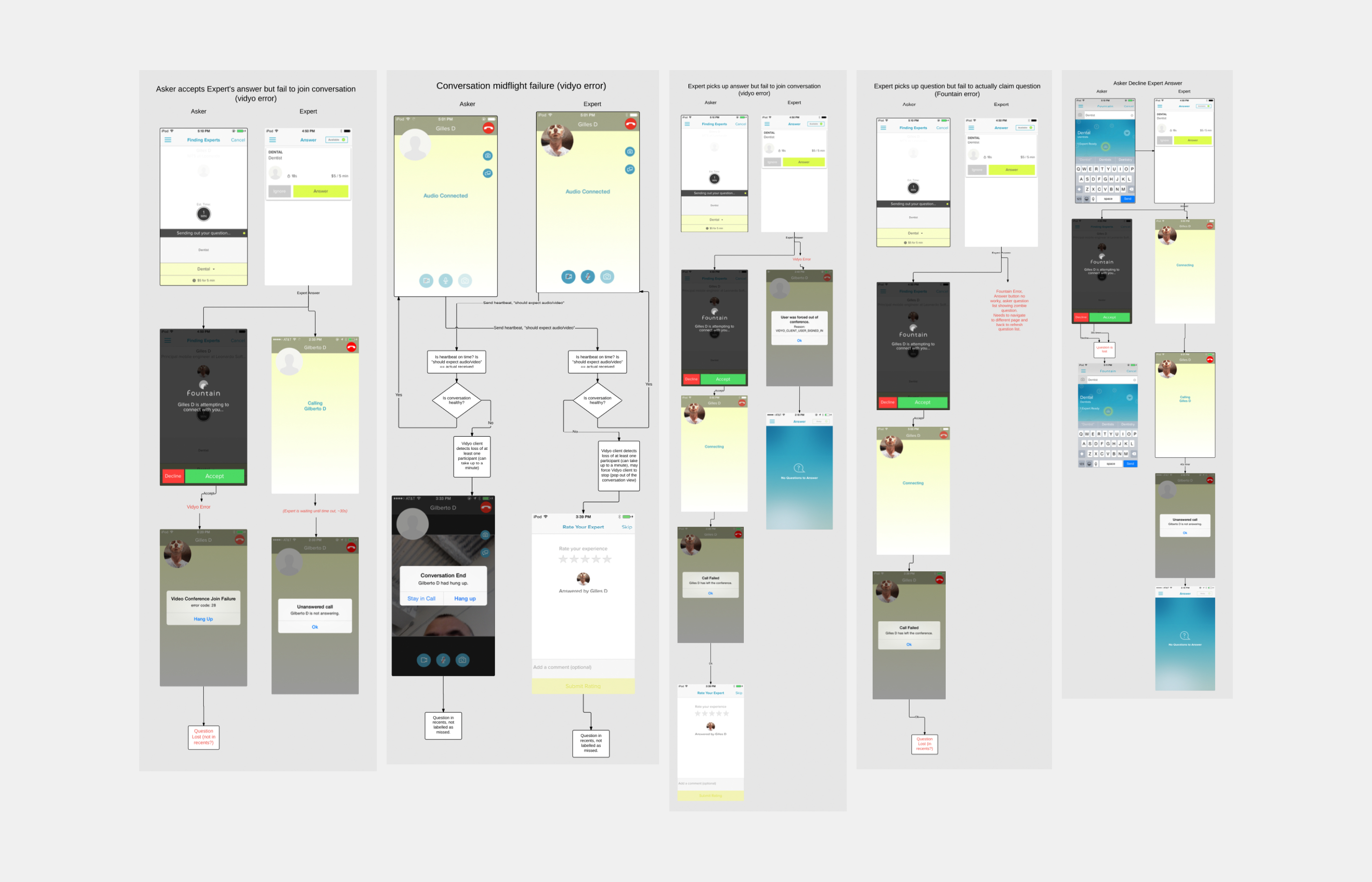
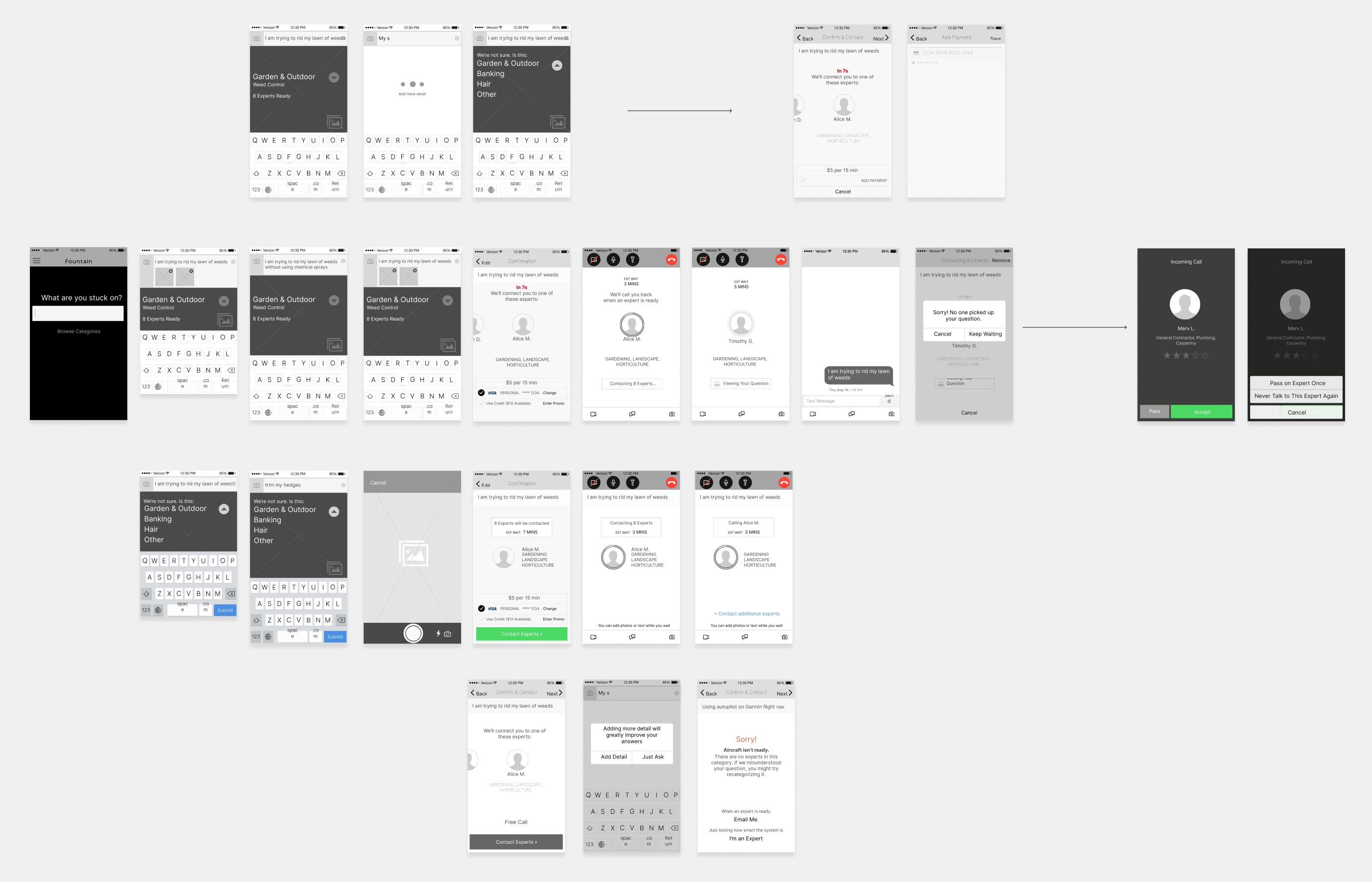
We used Balsamiq for initial interaction mapping to understand product scope, then moved to wireframes to establish core functionality and enable rapid prototyping. Video chat flowcharts were created to address connectivity edge cases. User testing with real asker-expert pairs surfaced a critical challenge early: users struggled to position their phone while completing physical tasks — a fundamental constraint that shaped the interaction model.
Visual Design
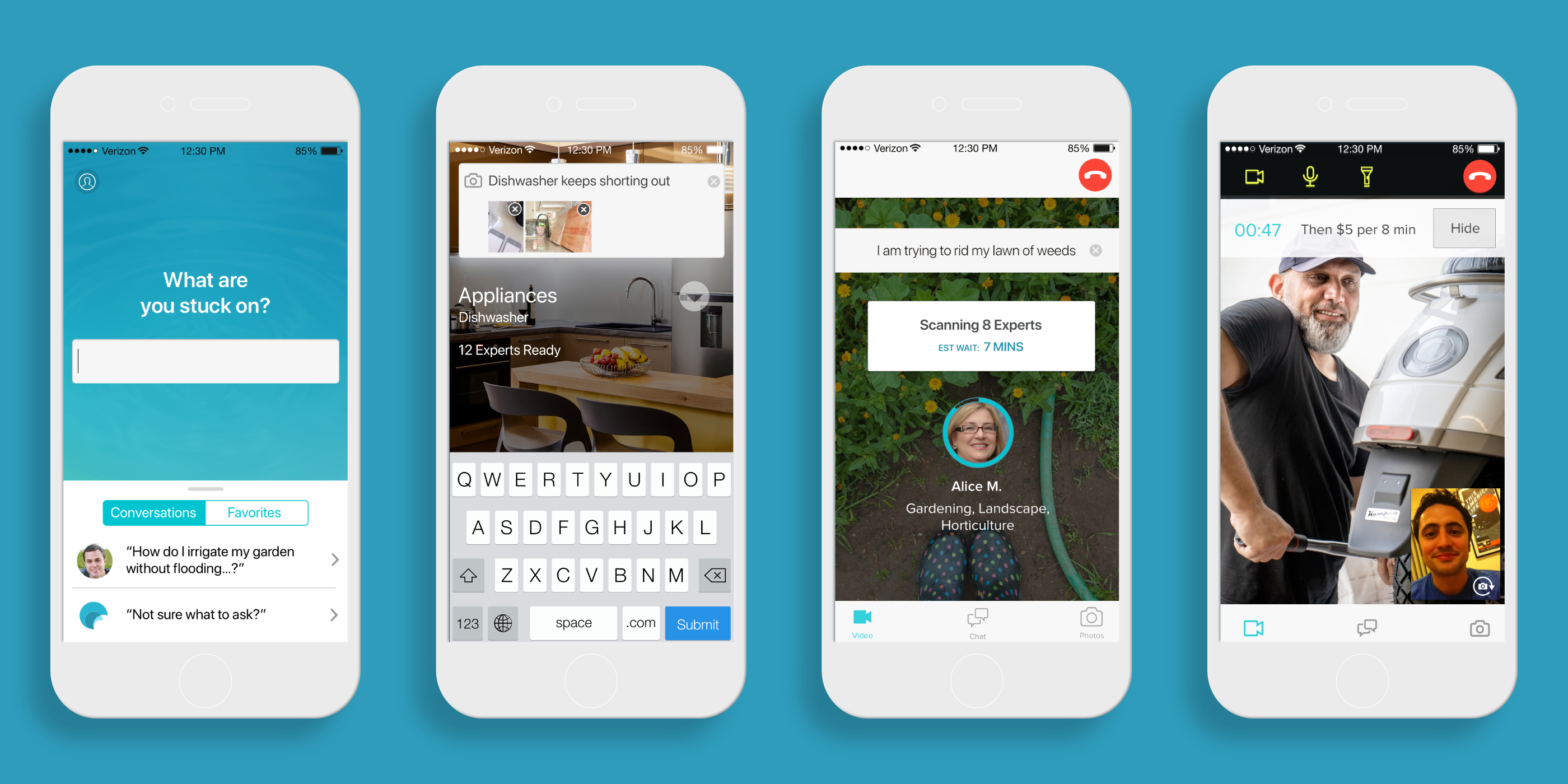
The design centered on three primary interaction modes — text chat, photo annotation, and video chat. The visual approach prioritized calm, familiar UI patterns to build trust and reduce anxiety. Machine learning formed the experience foundation, with a focus on home repair terminology and search optimization. Photo upload let users document problems visually before connecting with an expert.
Onboarding
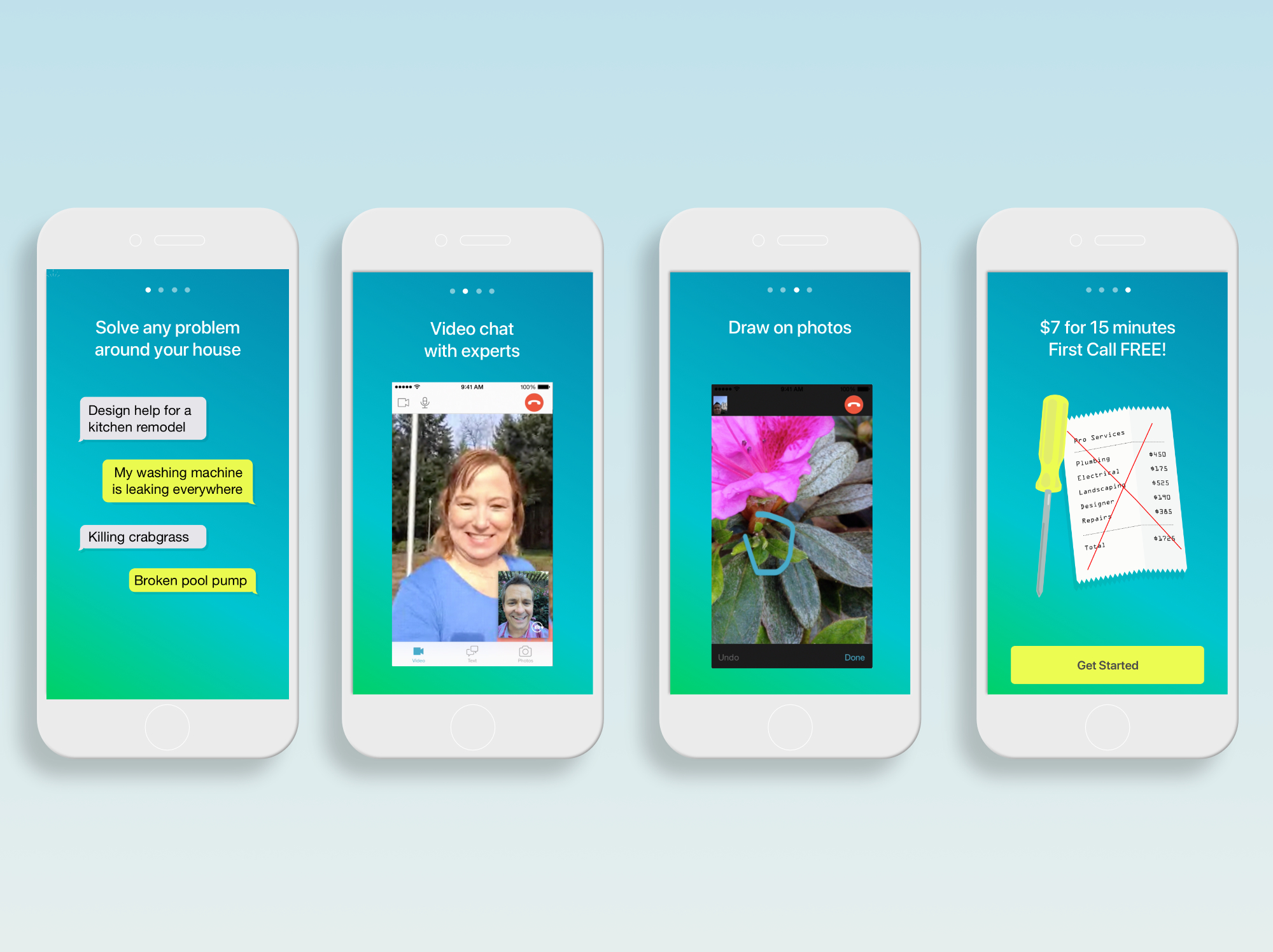
We condensed the core product features into digestible onboarding steps for new users, keeping the flow short and focused on getting to a first connection as quickly as possible.
Expert Experience
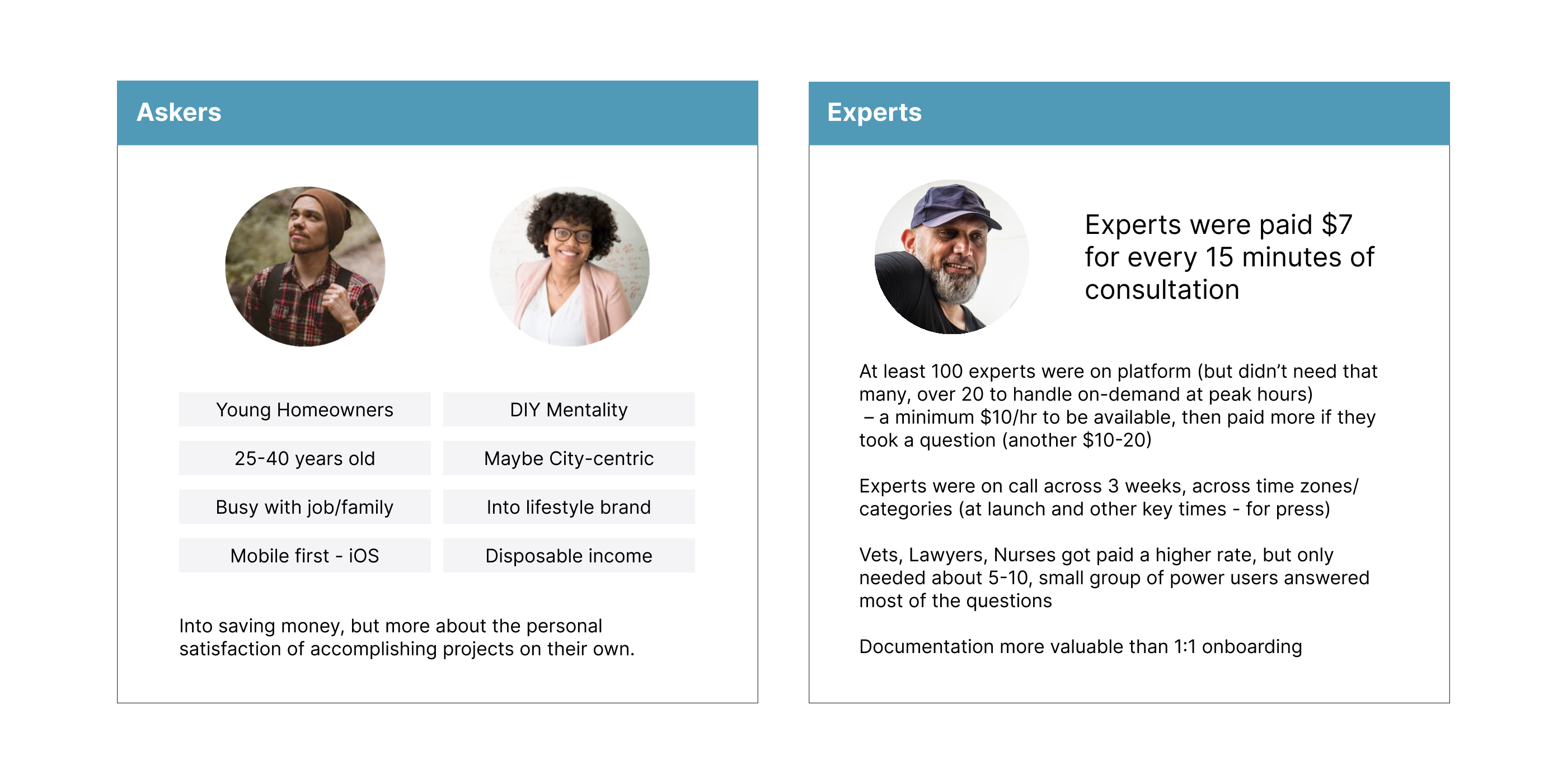
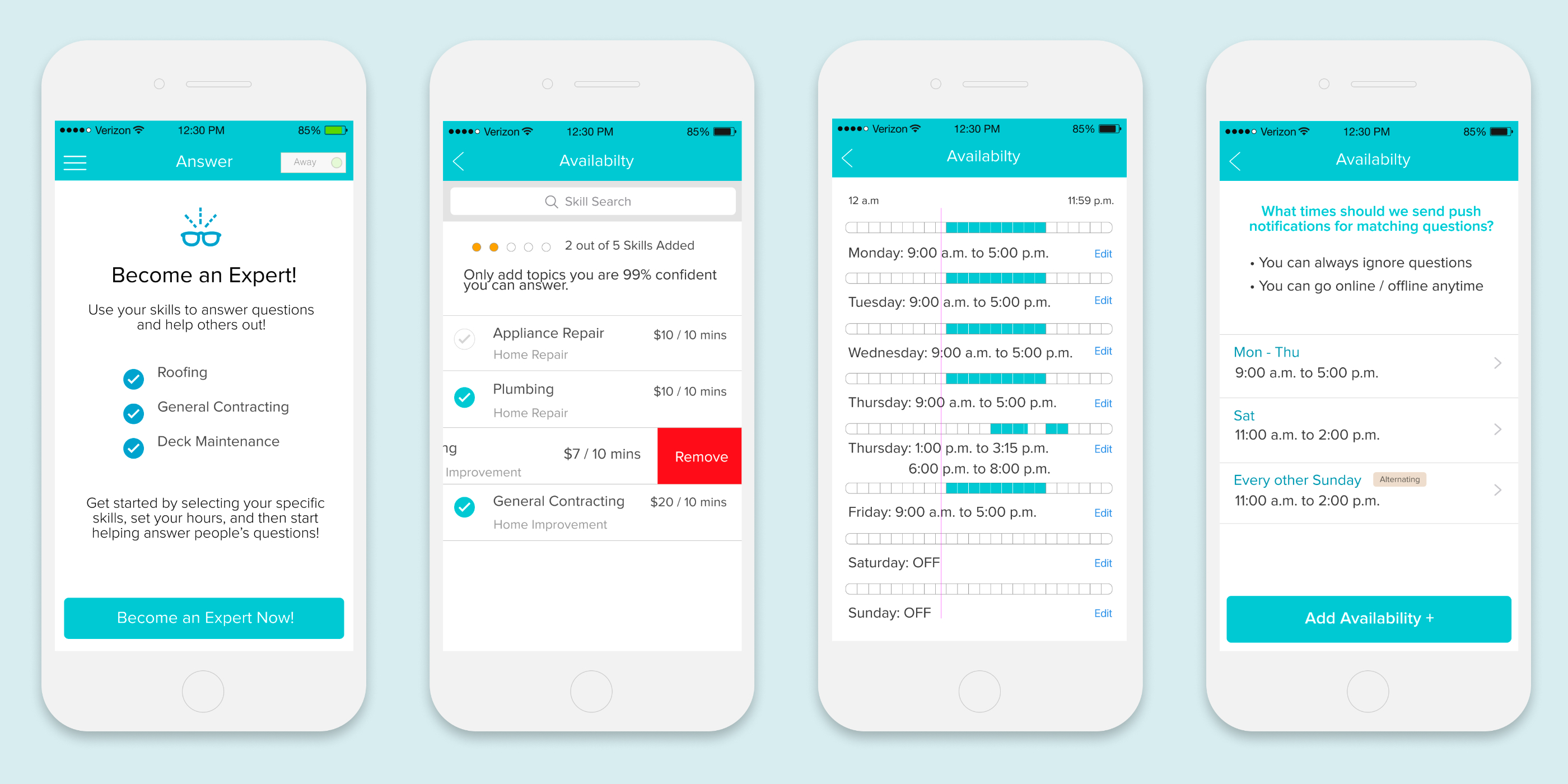
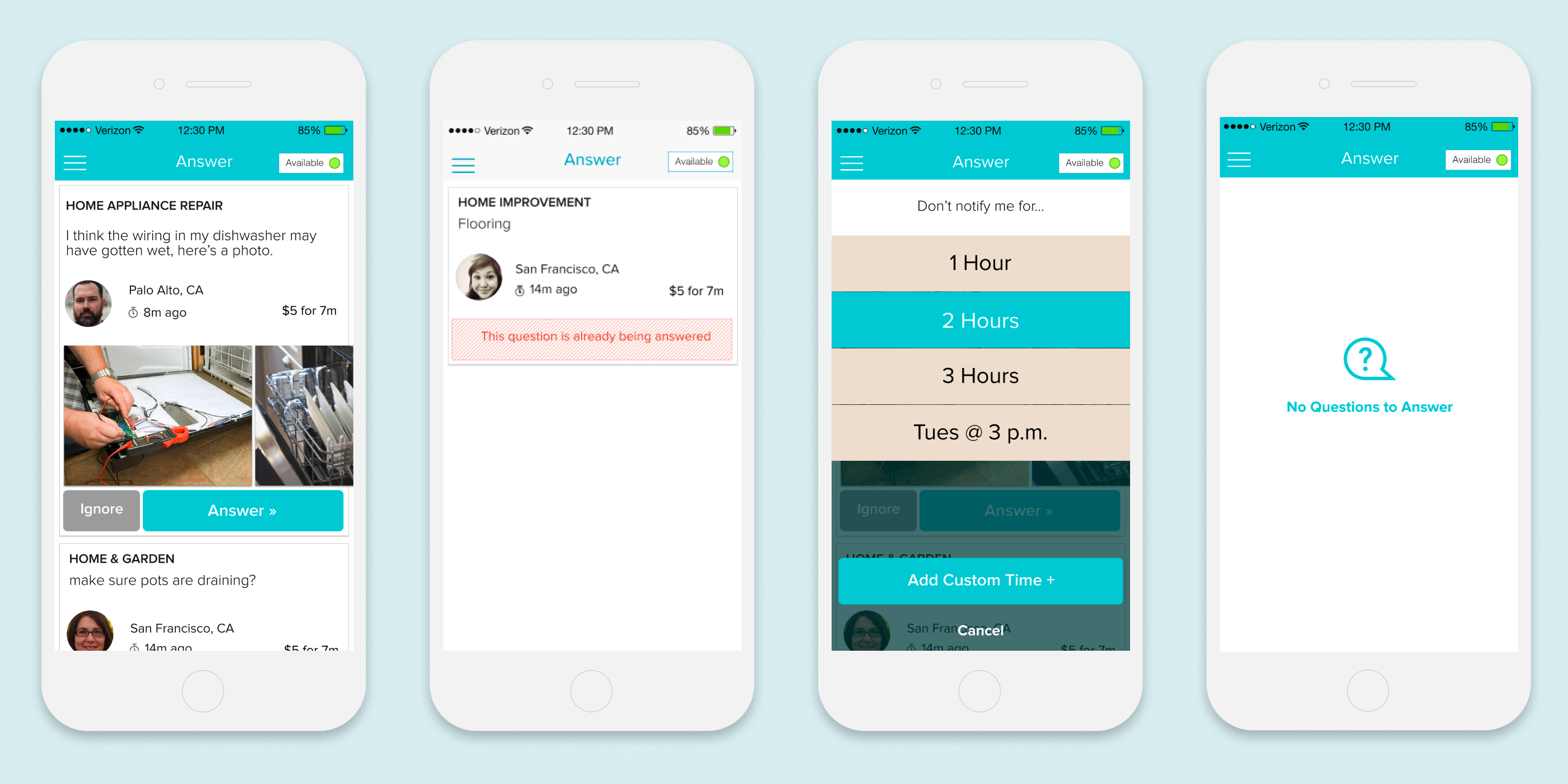
Initial expert recruitment focused on knowledgeable home repair professionals comfortable answering questions within five minutes. I designed photo galleries for quick project assessment and an availability toggle giving experts control over when they could be reached. The biggest setup challenge was combining skill and rate entry with calendar-based availability scheduling — balancing clarity, visual cleanliness, and enough flexibility for diverse expert workflows.
Design System
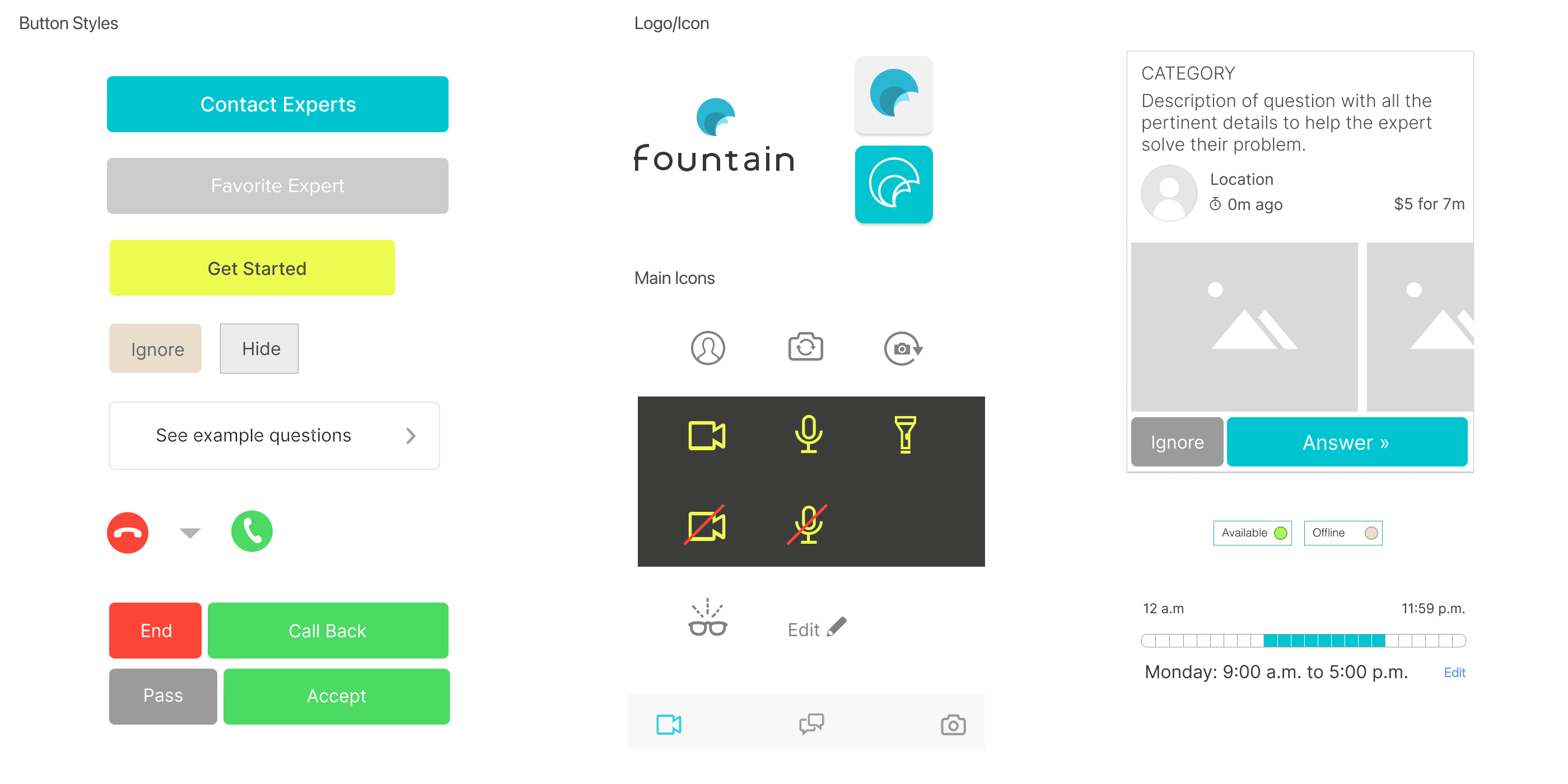
A foundational component set was developed as the app's design system base, ensuring consistency across both the asker and expert experiences as the product scaled.
Edge Cases
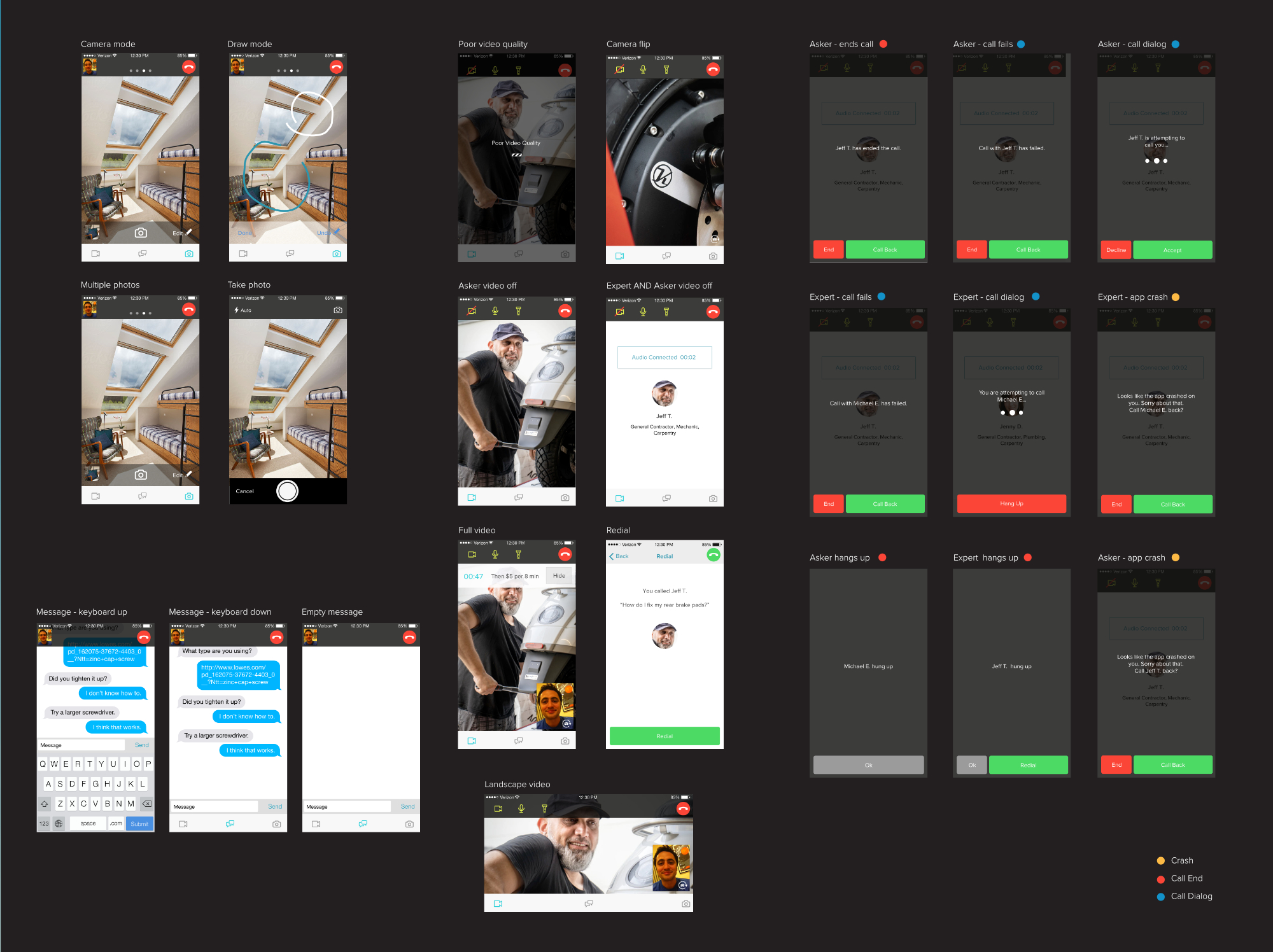
Attempting to limit the amount of fail points in engagement, connecting with the expert was one of the more crucial aspects of the app. Dropped video calls, missing photos and interrupted conversations all had to be worked through and have their own edge cases.

Web Presence
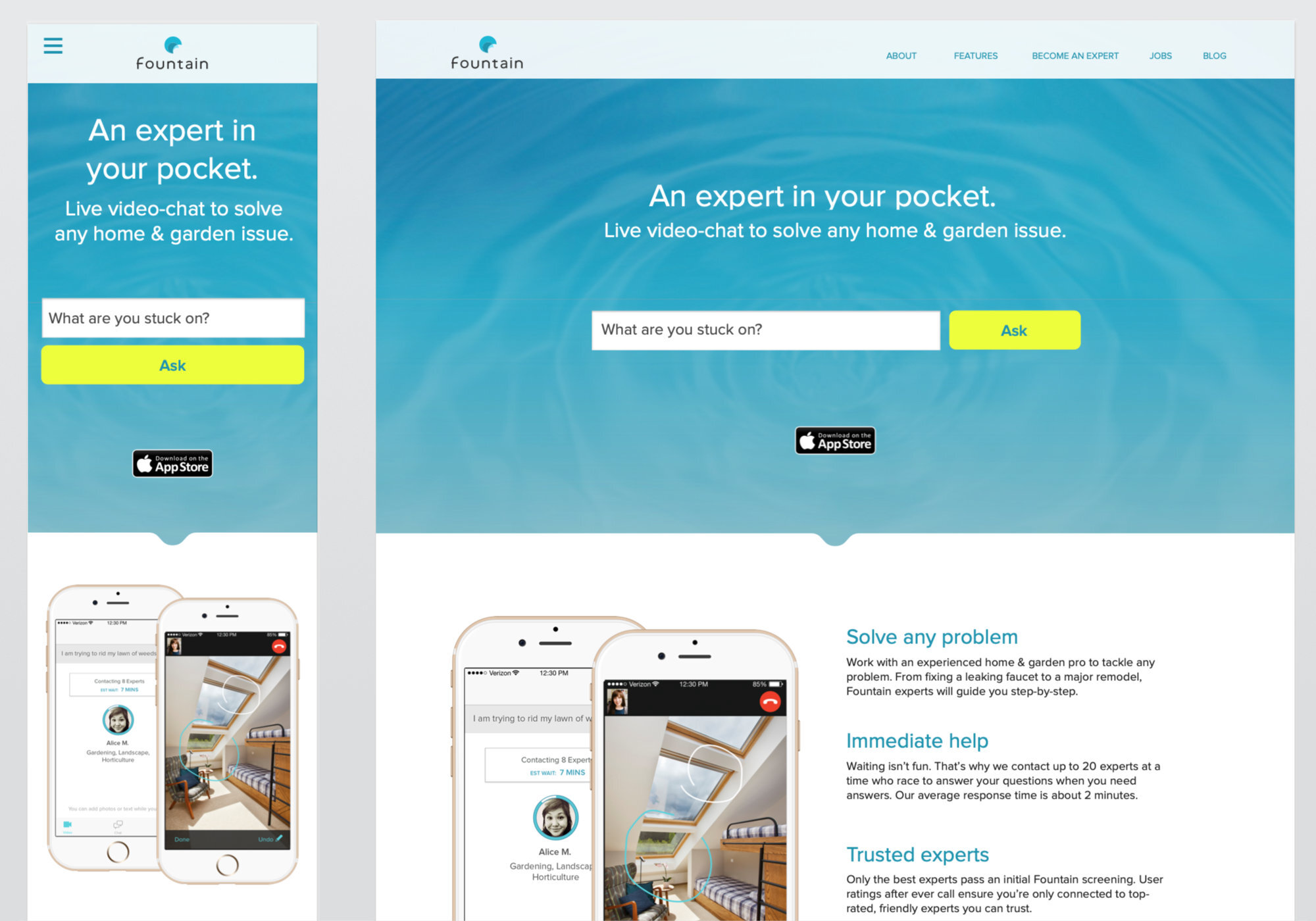
Responsive website design included landing pages and expert conversation interfaces, serving as entry points for machine learning engagement and app promotion. An email rollout guided test users and experts through the home repair vertical and Fountain best practices.